www.cobyusa.com Page 21
Parental Control (V-Chip Lock)
Lock selected channels or program types to restrict access to objectionable content. To set the
Parental Control options:
The Parental Control menu is password-protected. When the Parental Control menu is selected:
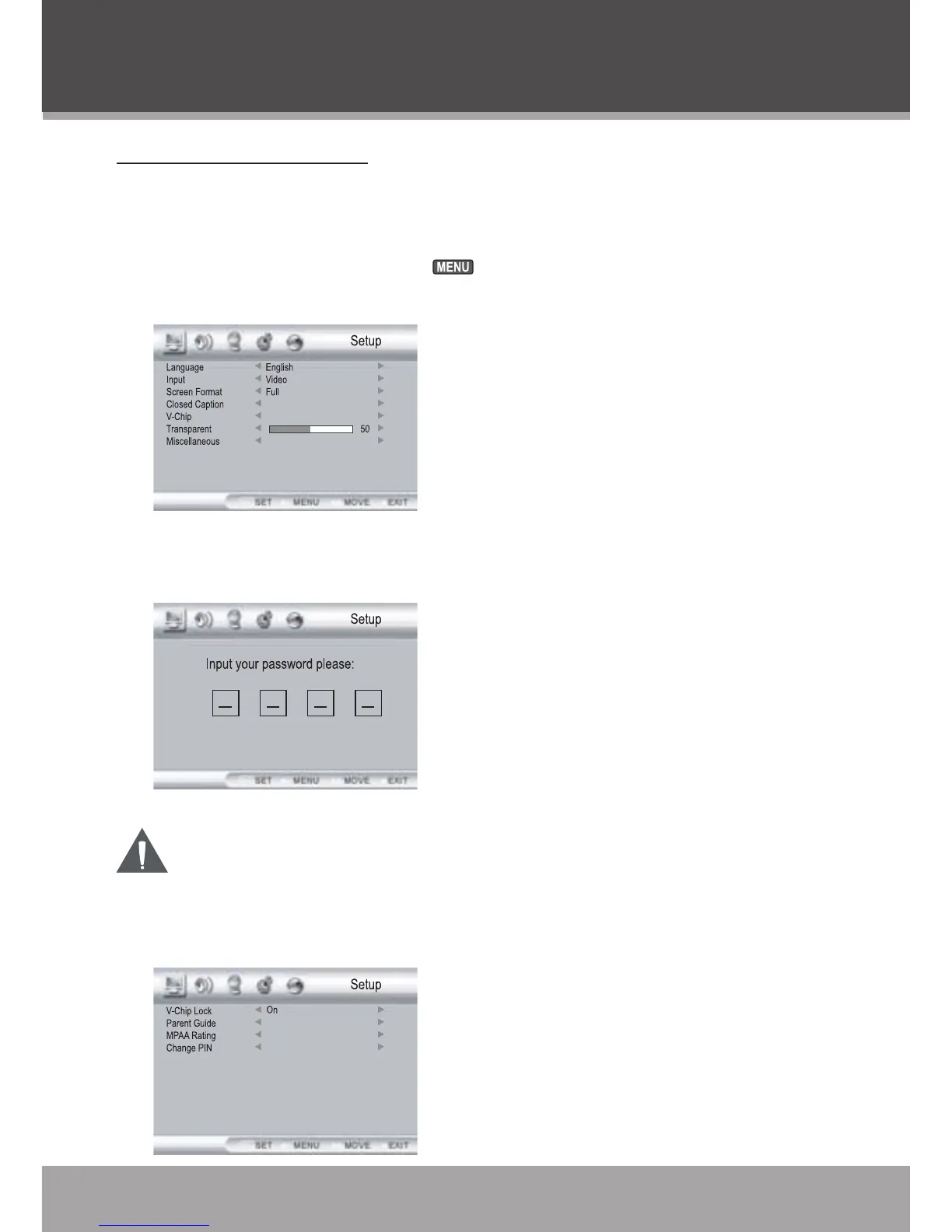
Enter the System Setup menu (press ).
Enter the Setup Options menu and select “V-Chip”.
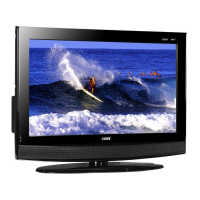
A Password Input screen will appear. Use the Numeric Keypad to enter the 4-digit password
to access the V-Chip options..
Theinitialdefaultpasswordis“0000”.
DO NOT FORGET THE PASSWORD; the V-Chip password cannot be reset.
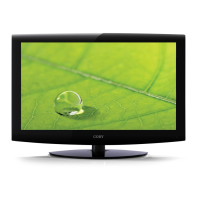
When the correct password has been entered, the V-Chip option screen will appear.
Consult the following table for a description of the V-Chip options.
1.
2.
3.
4.
TV FUNCTION



 To Next Page