10
Preparations
Connectcables.(Refertothe“CableConnections”sectionfordetails).1.
PressthePOWERbuttontoturnontheplayer.2.
PresstheMODEbuttontoselecttheTVsignalmode.3.
Press the CH+/- buttons to skip channels. Or youcanpress the number buttonsto inputchannels4.
directly.Fortheinitialuse,youneedtoscanchannelsundertheChannelMenu.Seethe"ChannelMenu"
sectionfordetails.
System Setup Menu
Variousfeaturescanbepresetthroughthesetupmenu,pleasereadthissectioncarefully.
PressMENUtodisplaythesystemmenuwindow..•
Presstheleft/rightdirectionbuttontoselectthedesiredmenu,pressthedowndirectionbuttonortheOK•
buttontoenter.
While working with the menu,
Presstheup/downdirectionbuttontoselecttheoption.1.
Presstheleft/rightdirectionbuttontoadjust.2.
PressMENUtoexit/backupthesetupmenu.3.
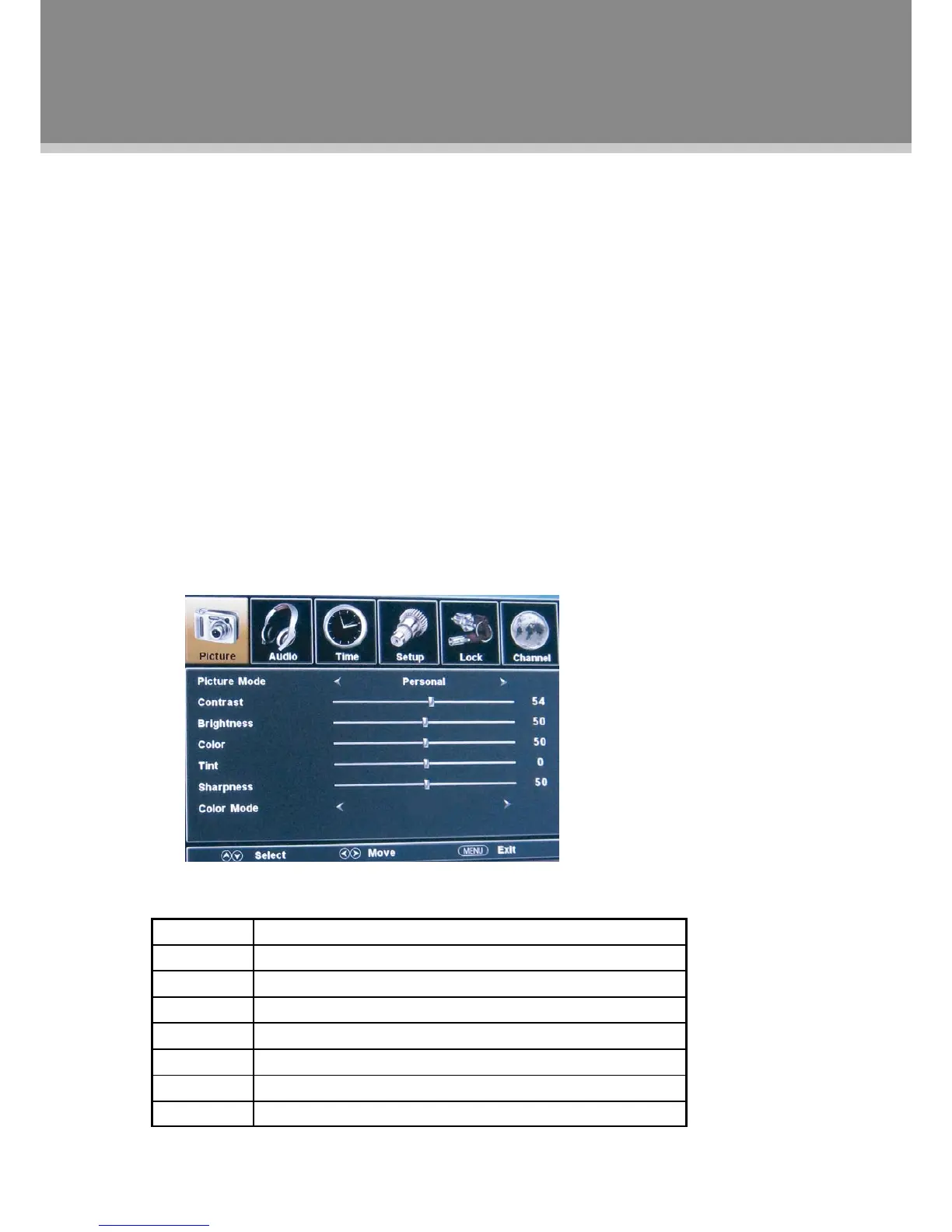
Picture Menu
ITEM DESCRIPTION
PictureMode Setupthepicturemode(Personal,Standard,Dynamic,Soft).
Contrast Adjustthedisplaycontrast
Brightness Adjustthedisplaybrightness
Color Adjustthedisplaycolor
Tint Adjustthedisplaytint
Sharpness Adjusttheimagesharpness
ColorMode Setthecolormode(Normal,Warm,Cool).
TV Function


 To Next Page