www.cochlear.com/us
Follow us on
Cochlear Americas
10350 Park Meadows Drive
Lone Tree, CO 80124 USA
Telephone: 303 790 9010
Support: 800 483 3123
Cochlear Canada Inc.
2500-120 Adelaide Street West
Toronto, ON M5H 1T1 Canada
Support: 800 483 3123
FUN4930 ISS1 JAN23
* Battery life may vary by individual.
Please seek advice from your health professional about treatments for hearing loss. Outcomes may vary, and your health professional will advise you about the factors which could
a ect your outcome. Always read the instructions for use. Not all products are available in all countries. Please contact your local Cochlear representative for product information.
©Cochlear Limited 2023. All rights reserved. ACE, Advance O -Stylet, AOS, Ardium, AutoNRT, Autosensitivity, Baha, Baha SoftWear, BCDrive, Beam, Bring Back the Beat,
Button, Carina, Cochlear, 科利耳, コクレア, 코클리어, Cochlear SoftWear, Contour, コントゥア, Contour Advance, Custom Sound, DermaLock, Freedom, Hear now. And
always, Hug t, Human Design, Hybrid, Invisible Hearing, Kanso, LowPro, MET, MP3000, myCochlear, mySmartSound, NRT, Nucleus, Osia, Outcome Focused Fitting, O -
Stylet, Piezo Power, Pro le, Slimline, SmartSound, Softip, SoundArc, True Wireless, the elliptical logo, Vista x, Whisper, WindShield and Xidium
are either trademarks or registered trademarks of the Cochlear group of companies.
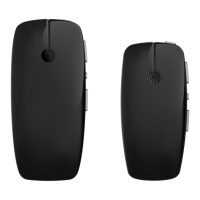
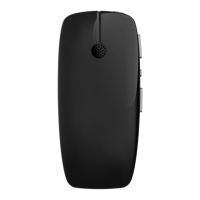
Using the CR
310
Remote Control
Turn the remote
on by sliding the
gray bar on the
side up.
You can adjust your
volume by using
the buttons on
the right side.
Turn up volume or
sensitivity (if available)
Turn down volume
or sensitivity
You can adjust your
programs by using
the arrow buttons
on the left side.
Next program
Previous program
Turn the remote
o by sliding the
gray bar on the
side down.
Note: The battery
in your CR310
Remote could last
up to 3 months.
*
Note: Use only CR2032
or 5004LC 3V standard
lithium coin cell batteries
in your remote control.
For help, call Device Support at 800 483 3123 then select option 2.



 To Next Page