Need help?
Do you have a question about the CocktailAudio X50D and is the answer not in the manual?
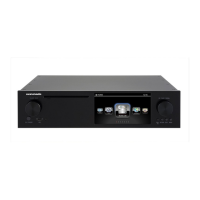
Detailed view of the device's front panel and controls.
Details the rear panel connections and ports of the device.
Verify all items included in the X50D package are present.
Instructions for correctly installing batteries into the remote controller.
Information on installing storage for models without internal drive.
Configure internal storage using various RAID modes.
Guide through the initial setup process using the wizard assistant.
Instructions for powering on the device for regular operation.
Configuration options for the Music Database management.
Instructions for ripping audio CDs to the device.
Audio playback settings and options.
Network connection and configuration settings.
System settings for device operation and customization.
Manage and update the device's firmware.
Steps to scan and add music files from folders into the Music DB.
Procedure to remove music entries from the Music DB.
Reset and re-index the Music DB, removing playlists and clearing data.
Select ripping formats and understand the conversion process.
Steps for CD ripping when the device is connected to the internet.
Instructions for CD ripping without an internet connection.
Steps to play music files stored in the Music DB.
Search for music within the Music DB by various criteria.
Manage albums, artists, and genres within the Music DB.
Steps for direct CD playback when connected to the internet.
Steps for direct CD playback without internet connection.
Create and manage standard playlists.
Information about My Playlist, a temporary virtual playlist.
Create and manage Advanced My Playlists.
Use UPnP and Samba for device-to-device music streaming.
Configure multiple X50D devices for synchronized playback on a network.
Listen to internet radio stations.
Steps to tune into and play FM radio stations.
Record FM radio broadcasts.
Steps to tune into and play DAB+ stations.
Record DAB+ digital radio broadcasts.
Play music files directly from audio data CDs.
Manage files and folders on storage devices.
Connect and play audio from external devices.
Record audio from external input sources.
Adjust left and right channel volume levels for balance.
Configure the device to output video to an external screen.
Display photos as a slideshow during music playback.
Set up multiple alarm timers with custom sound sources.
Cut recorded files into tracks automatically or manually.
Burn audio CDs from files on the device.
Synchronized multi-room audio playback.
 General
| Brand | CocktailAudio |
|---|---|
| Model | X50D |
| Category | Turntable |
| Language | English |

 To Next Page