71
6-4-2. Ripping Tracks
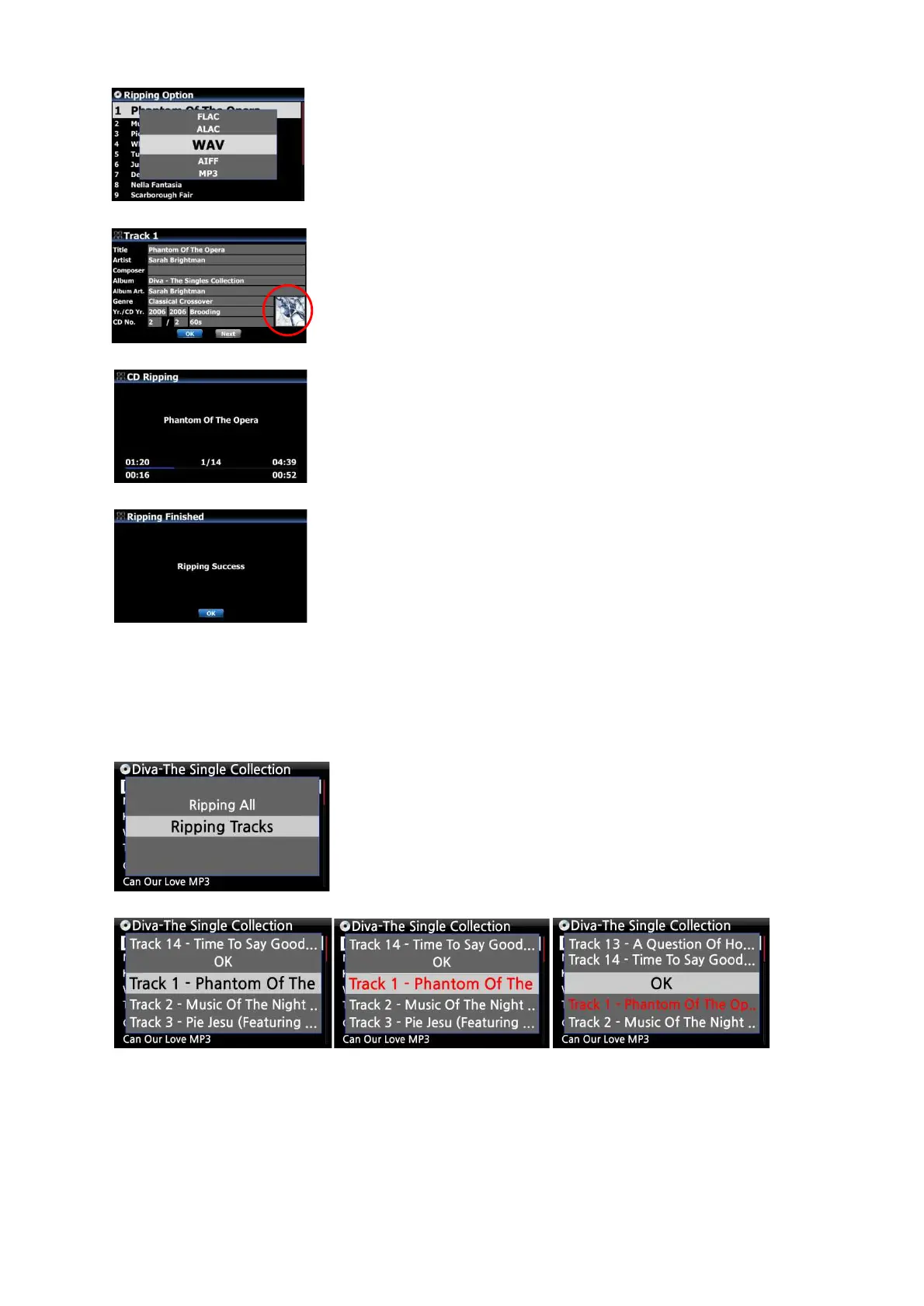
This procedure is for loading (ripping) individual tracks.
④ Select one of five (6) options (WAV, ALAC, AIFF, MP3, OGG,
FLAC) and press OK button.
Then, the below screen is displayed.
The X50D retrieves each information (title, artist, etc) from the CD
metadata server
① Select Ripping Tracks and confirm with the OK button.
The below screen is displayed.
② Select the track(s) you want to load (rip) with RIGHT ARROW key, the selected tracks will
change to red. After finishing selecting, select OK and confirm with the OK button.
⑤ Press OK to start CD ripping
※ NOTE: In case that multiple CD metadata exist, you can select
other metadata for the CD with the NEXT icon, and click Album
cover art if you want to change album cover art


 To Next Page