97
13-1-5-2. How does the reservation recording start
1) In case that you powered X50D off after recording setting (e.g. 4:00PM
/ record for 3 M )
l X50D will start booting up automatically at 3:57PM (3 minutes before set time 4:00PM)
l X50D will start playing the station at 3:59PM (1 minute before set time 4:00PM). Volume
is set as ‘Mute’ automatically.
l X50D will start recording the station at 4:00PM and keep recording until 4:03PM.
l X50D will power off automatically by itself as soon as it finishes recording at 4:03PM.
2) In case that you keep X50D powered ON after recording setting (e.g.
4:00PM / record for 3M ).
l X50D will stop current job (playing) and start playing the station at 3:59PM (1 minute
before set time).
l X50D will start recording the station at 4:00PM and keep recording until 4:03PM.
l X50D will stop recording at 4:03PM and keep playing the station continuously.
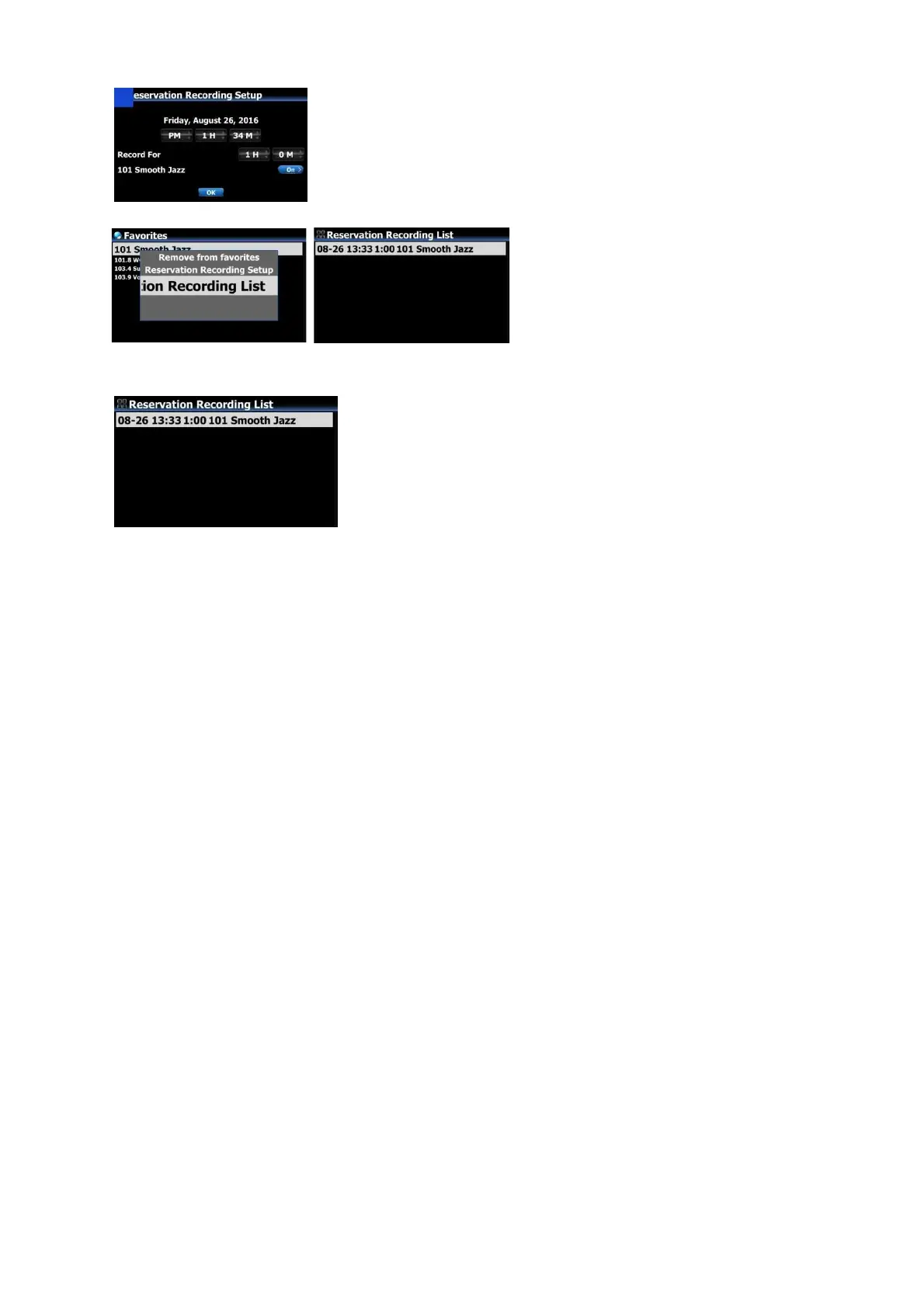
③ Input date, time, etc on the setup window like left
④ Confirm it with OK key
※ To check if Reservation Recording
Setting is well done, press MENU key
at the Favorites list, and select
Reservation Recording List to show
recording list like left.
※ The station set as 'reservation recording' will be listed like
left picture.
■ Aug 26th, 13:33 ------> Recording start
■ 1:00 -------> It will record for one hour.
■ 101 Smooth Jazz -------> Station name


 To Next Page