Need help?
Do you have a question about the CocktailAudio X50Pro and is the answer not in the manual?
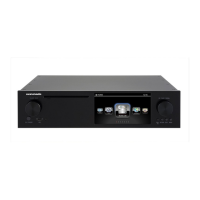
Details the controls, display, and ports on the front of the X50Pro unit.
Explains all input/output ports and power connectors on the rear of the unit.
Outlines the purpose of each button on the included remote control for device operation.
Guides the verification of included items and installation of batteries in the remote.
Instructions for installing HDDs/SSDs and configuring RAID modes for internal storage.
Covers the first boot process and the guided setup assistant for essential settings.
Details how to set up, organize, and manage the music library and its database.
Explains CD ripping options, audio formats, bit rates, and digital output settings.
Guides network setup, wireless connectivity, and access to internet-based services.
Manages display language, sleep modes, factory reset, user fonts, and firmware updates.
Operations for adding, removing, scanning, and exporting music files and database content.
Step-by-step instructions for ripping CDs, including format selection and multi-album handling.
Covers making, editing, playing, and exporting playlists.
Explains playing audio CDs directly and managing files on storage devices.
Utilizes UPnP, Samba, and other network protocols for music streaming.
How to play, search, record, and manage internet radio stations.
Operations for managing files, editing tags, and converting audio formats.
Guides setting up and controlling multi-room audio playback across devices.
Lists detailed hardware and software specifications of the X50Pro.
Provides solutions for common operational problems and errors.
 General
| Brand | CocktailAudio |
|---|---|
| Model | X50Pro |
| Category | Turntable |
| Language | English |

 To Next Page