71
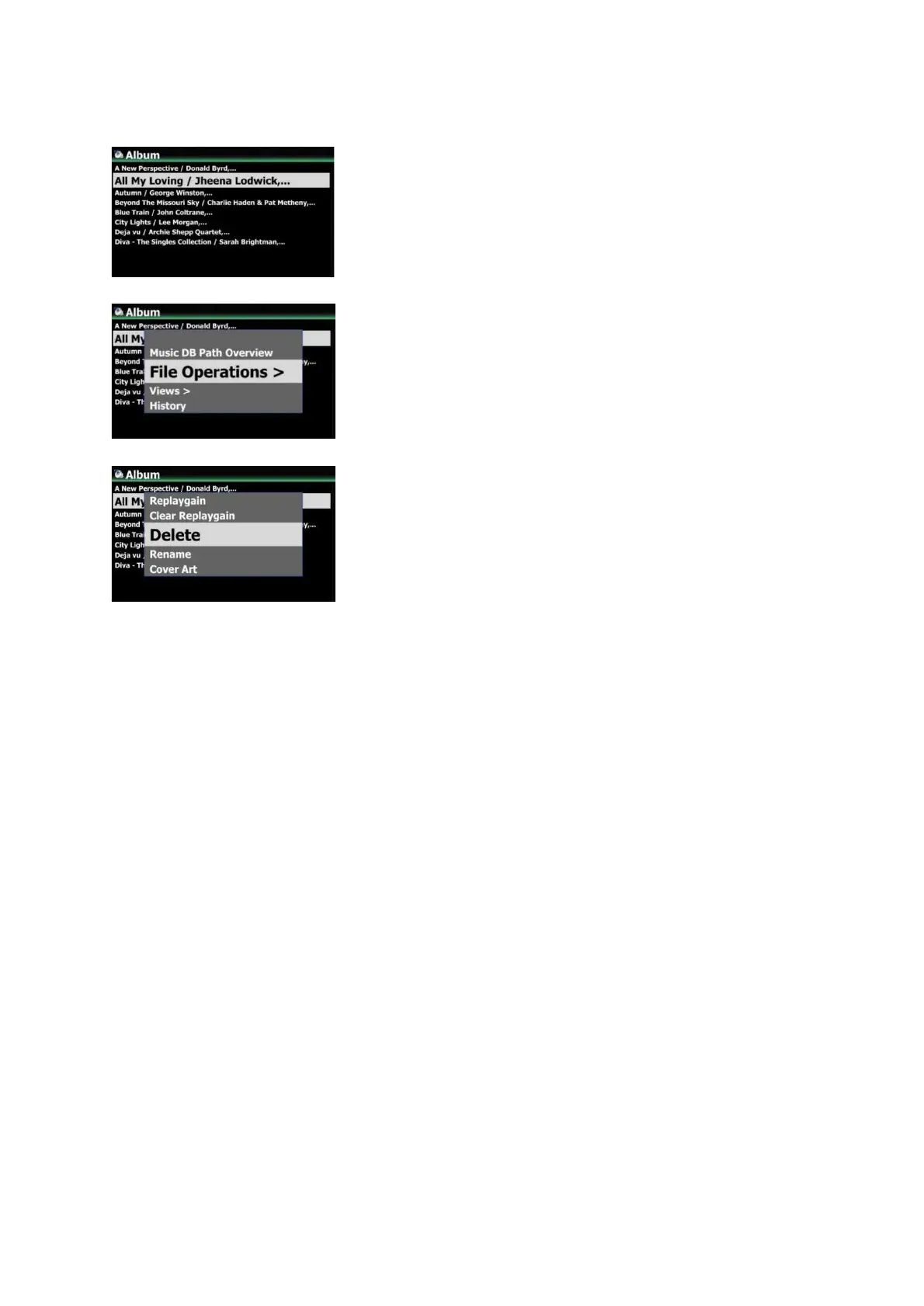
5-9. How to delete album/song and others in the Music DB
6. CD Loading (Ripping)
6-1. Ripping format and converting
The X50Pro offers seven (7) ripping formats such as CAF, WAV, AIFF, MP3, Ogg, FLAC and ALAC. You
can choose one of them. No matter which format is selected during ripping procedure, once the
X50Pro will rip the CD to WAV format first, and then as background job, It will be converted to the
selected format. Converting lead-time will be almost same as actual playing time. Files that have
not been converted are not visible when you click the folder or album. The name of album or folder
containing the file that has not been converted is displayed in blue color.
6-2. Where ripped files are stored
All music that you load (rip) onto the X50Pro will be stored in the ‘My Music’ folder of main storage
(green colored storage on the Browser mode).
6-3. How to register (scan) ripped files into the Music DB
Index of the ripped files will be registered (scanned) into the Music DB of the X50Pro automatically.
① Go into Music DB and place the cursor on the album or
song you want to delete
② Press MENU key to open menu window
③ Select 'Delete' to go next step and delete it
※ You can select multiple albums with 'Right arrow key'
※ NOTE
If you try deleting albums (folders) in the Music DB, inside
files(songs) will be deleted, but albums (folders) names will
remain in the Browser mode, because there is still cover art
files in the albums (folders). If you want to delete them also,
you can run ‘Delete Files’ function on the Browser mode.



 To Next Page