21
Display
Keep pressing the [ ] button for 2 seconds and enter the unlock password to
access the configuration mode of your Co-Comm F300. The default password of the
phone is 2580.
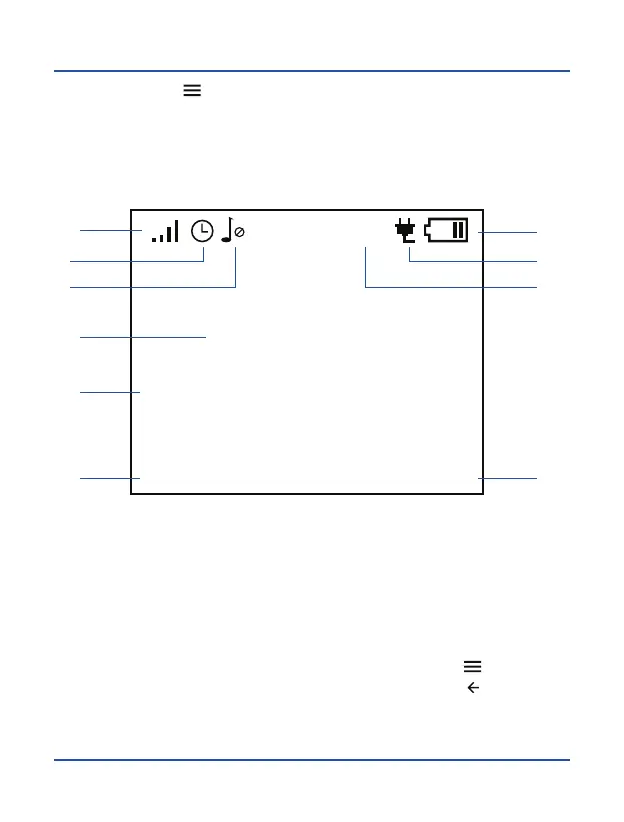
In configuration mode you can view the following information on the screen:
9
7
4
1
2. Active alarm
3. Audio profile
4. Battery level
8. Hour and date
9. Function for the [ ] key
10. Function for the [ ] key
5
8
5. Charging indicator
Menu
Operator
13:52 02/05/2016
48%
2
Back
10
3G
3 6
1. Coverage indicator 6. Battery percentage
7. Network operator



 To Next Page