14
Installation
Follow the steps below to install your SIM card and other accessories of your wireless
phone Co-Comm F300:
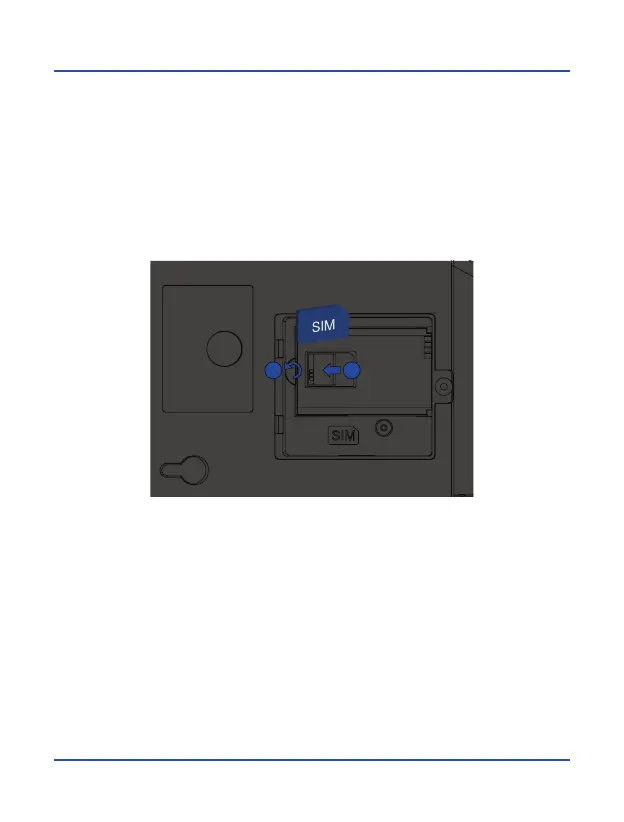
1. Disconnect the power adapter and remove the cover of the battery compartment
on the bottom of the device to install the SIM card. Slide the metal tab in the
direction shown to unlock it, turn it up, and place the SIM card as shown in the
illustration. Turn down and slide the metal tab to the initial position to lock it again.
1
2



 To Next Page