32017 Voxx Electronics Corporation. All rights reserved.
Using Your Remote Control
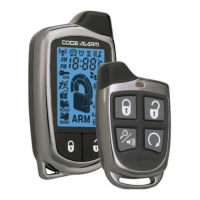
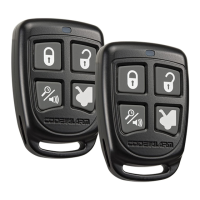
Using the Keyless Entry
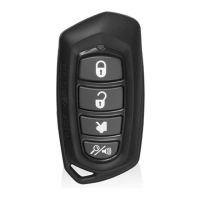
The button is used to lock the vehicle’s doors, the button is used to unlock the
vehicle’s doors. To lock or unlock the doors simply press and release the desired
function button one time. For your convenience, the parking lights will ash once when
the doors are unlocked and twice when the door are locked.
NOTE: The system is equipped with a feature called Silent Choice. If enabled, the
system requires a second press of the or button to activate an audible locking/
unlocking response from the vehicle. If your system is set up for 2 step unlock, a third
press of unlock will activate the audible response.
Two Stage Door Unlock (Optional)
If this feature is enabled on your system, pressing the button one time will unlock
only the driver’s door. Press again within three seconds to unlock the remaining
doors.
Activating the Trunk Release Feature (Optional)
If this feature is enabled on your system, pressing and holding the button for 3
seconds will open the vehicle’s trunk or hatch.
Using the Progressive Car Finder Feature
Press the button to locate your vehicle. The system will ash the parking lights
and sound 5 times at low volume, increasing in volume each time the button is
pressed.
Using the Personal Protection Alarm (Panic)
Press and hold the button for 3 seconds to activate the personal protection alarm.
During panic mode, the normal function of the transmitter buttons will be suspended.
The transmitter’s and buttons can be used to lock and unlock the door (if the
option is installed). To stop the alarm, press and hold the button on the transmitter
again for 3 seconds. The system will automatically stop after 30 seconds.



 To Next Page