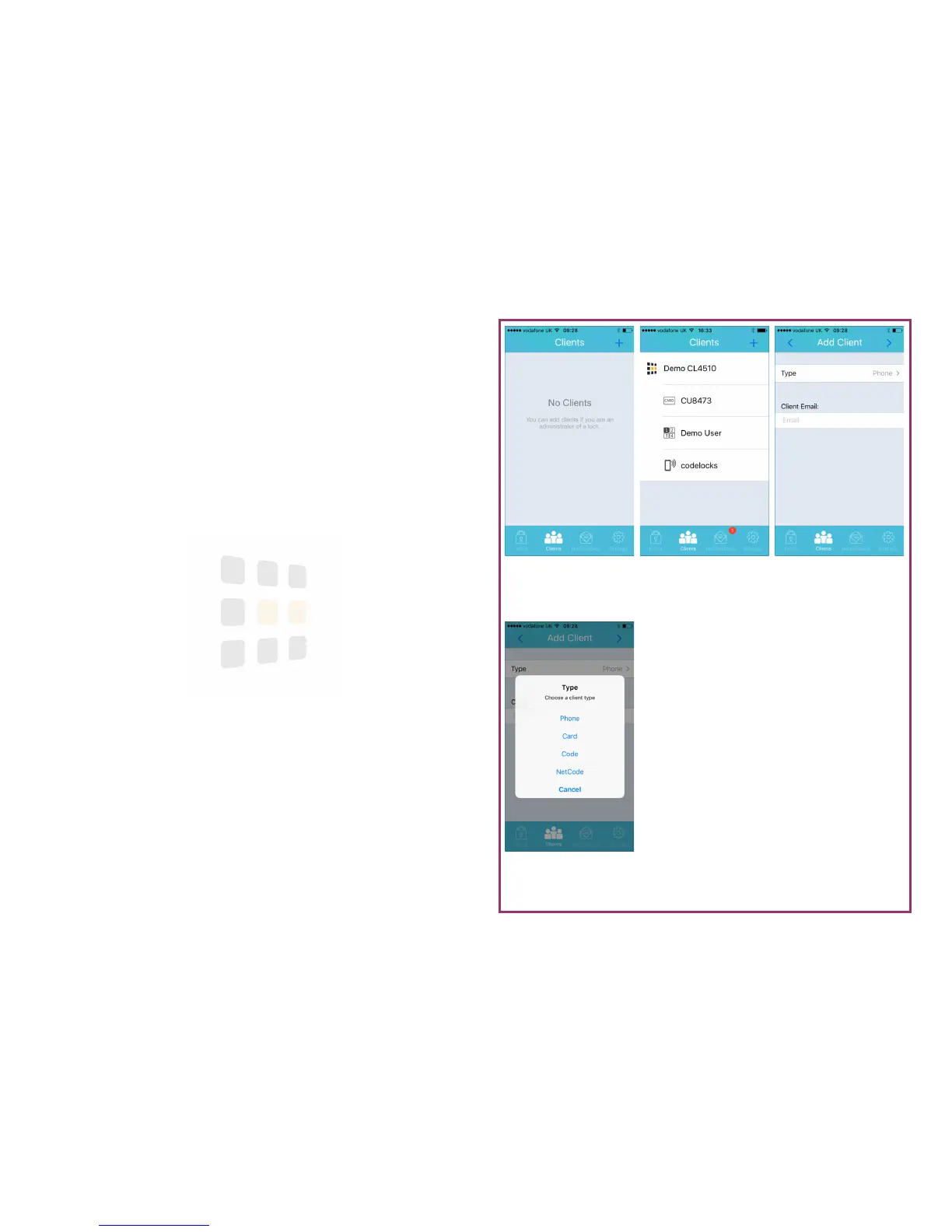
Choose Type
Select a client type
Add Client
Touch Type to choose a
client type
Figure 2
A single paired lock with
3 clients
Figure 1
Empty client list
Page 9
Clients
A client is a Code, Card, Phone or NetCode that can be used to open the lock.
1. From any screen, touch the Clients icon at the bottom of the screen
2. Initially, you will see an empty client list (figure 1) but as locks are added,
this list will populate (figure 2)
3. To add a client, touch the + button (top-right of the screen)
4. Touch Type to select a type of client
5. See the following pages for the different clients:
Phone Page 10
Card Page 11
Code Page 12
NetCode Page 13



 To Next Page