verified, sign in to the App.
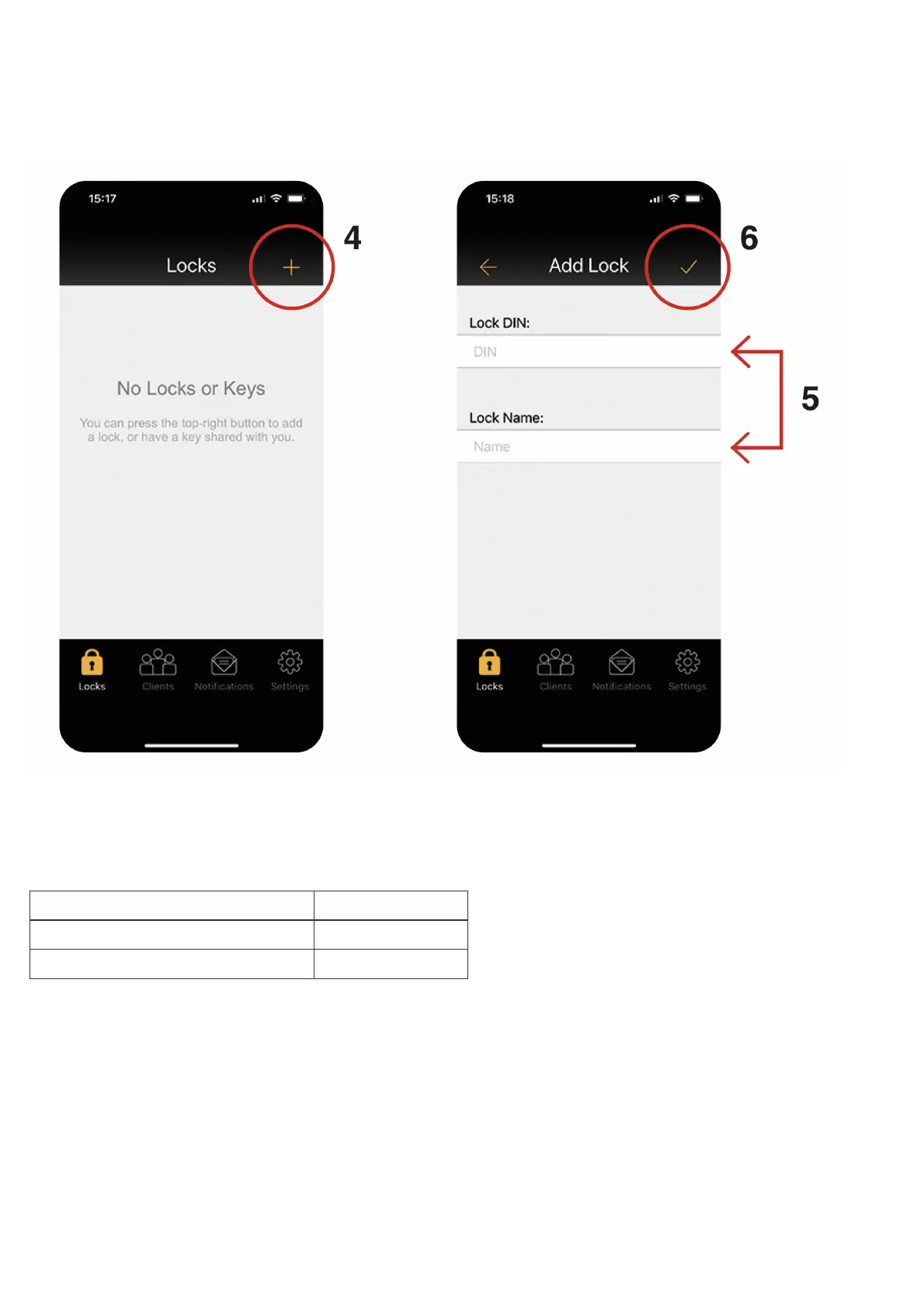
4 To add a new lock, select the + icon on the Locks screen.
5 Enter the lock DIN and a name for your lock. We recommend choosing a meaningful name.
Note: The lock DIN is case sensitive.
Lock Model DIN
CL4500 GD, CL4510, CL4520 CL4510
CL5510 PK, CL5510, CL5520 CL5510
6 In the App, touch the ‘tick’ icon and then immediately, on the lock, enter the following program:
#Master Code•00•1••
Example: #12345678•00•1••
Note: If you have changed your Master Code, substitute the code used in the example with your own code.
7 The lock will now pair with your phone.
For detailed instructions, refer to the Programming + Operating Instructions at
d l k t / tl k



 To Next Page