Pag.19
** Out of Memory! **
Remove Projectors or
Scene and try again
ESC to continue
Figure 47
MASTERDISCO 96 memory is dynamic and it is automatically adapting to
each new scene insertion in the program, following the number of projectors (the-
refore following the number of channels used) that are inserted in each scene of
the program you are editing.
On the display you constantly have the indicator of the memory used while
you are preparing a program (MemUsed: % see fig. 44); when this memory rea-
ches 99% you will have a message on the display saying that you have to remove
some projectors from the scene or the scene itself in order to properly save the
program.
When you want to use an already existing program just making some modifi-
cations to the scenes, you can recall this program and copy its content in another
program, to be then modified as you like. Select from the display the word [CO-
PYprg] by means of the arrow-push-buttons and push ENTER; the display (fig.
32) will ask you to give the destination program number;the program number can
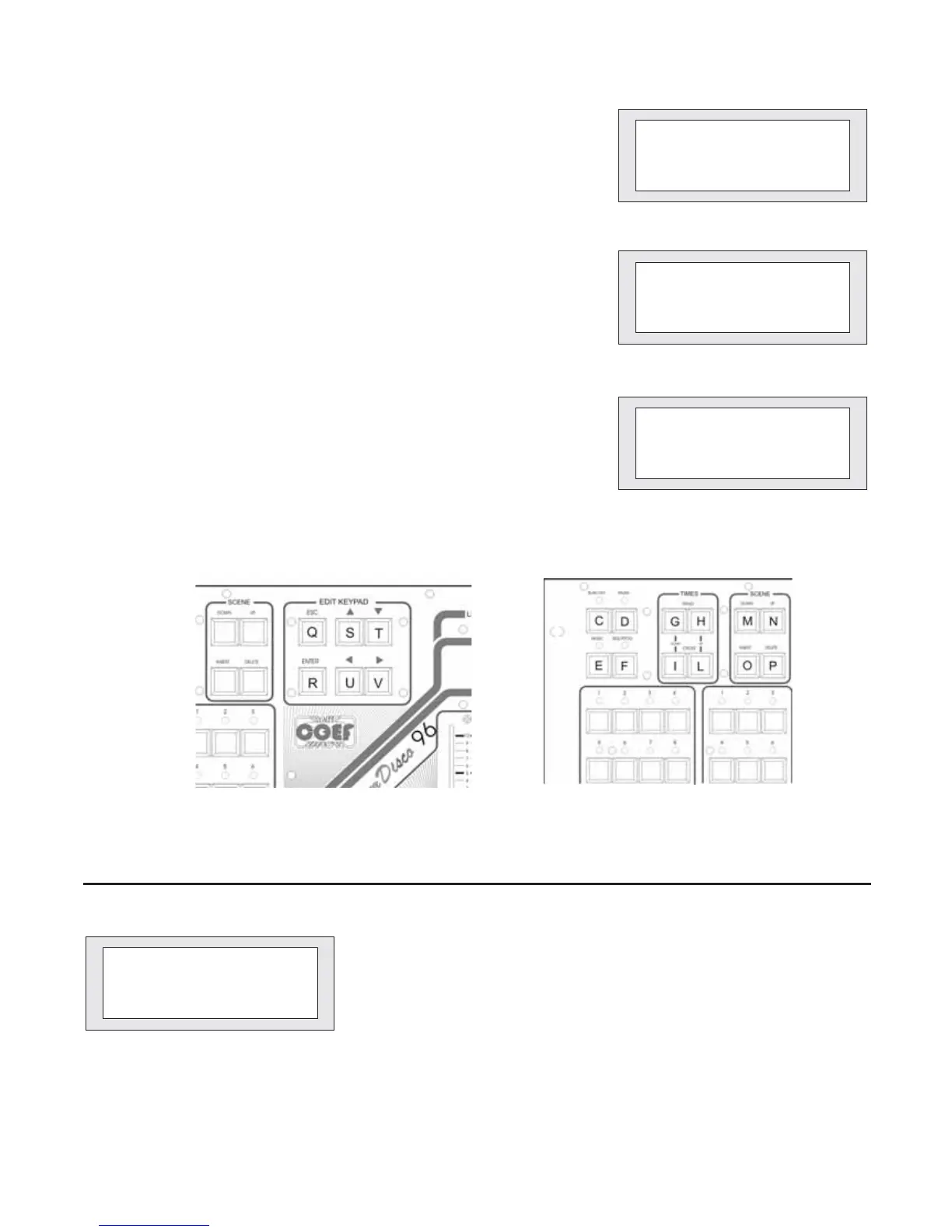
beinsertedby means of push-buttons S and T (fig. 50) and confirmed by pressing
ENTER. Press ESC in order to delete the operation.
If you wish to delete a complete program in order to recover memory capacity
orforyour own convenience, you can use the function [DELETEprg] (fig. 49) that
has to be confirmed by pressing the push-button DELETE (fig. 51 part. P) or that
can be cancelled with ESC.
*** COPY PROGRAM ***
Destination?:1
Press ENTER to start
or ESC to abort
Figure 48
* DELETED PROGRAM *
Press DEL. to start
or ESC to abort
Figure 49
Figure 50
Figure 51
6 - SEQUENCER PROGRAMMING
[--] -- -- -- -- --
-- -- -- -- -- --
-- -- -- -- -- --
Sequencer Prog.ing
Figure 52
Entering in function [SEQ.]you will have the possibility toinsert upto 18pro-
grams number and Master Disco 96 will automatically execute them following
the sequence you have given. The programs numbers are inserted by simply se-
lecting them and they are cancelled by pressing DELETE. You can also insert
the same program repeatedly. In order to modify the sequence settings you can
use the arrow-push-buttons S-T-U-V (fig. 50) and insert the new number or to
press DELETE in order to cancel the undesired ones.
Press ESC to exit.


 To Next Page