•
Step 2 - MDIMMER - Master-Dimmer Programming
MasterDimmerSetup
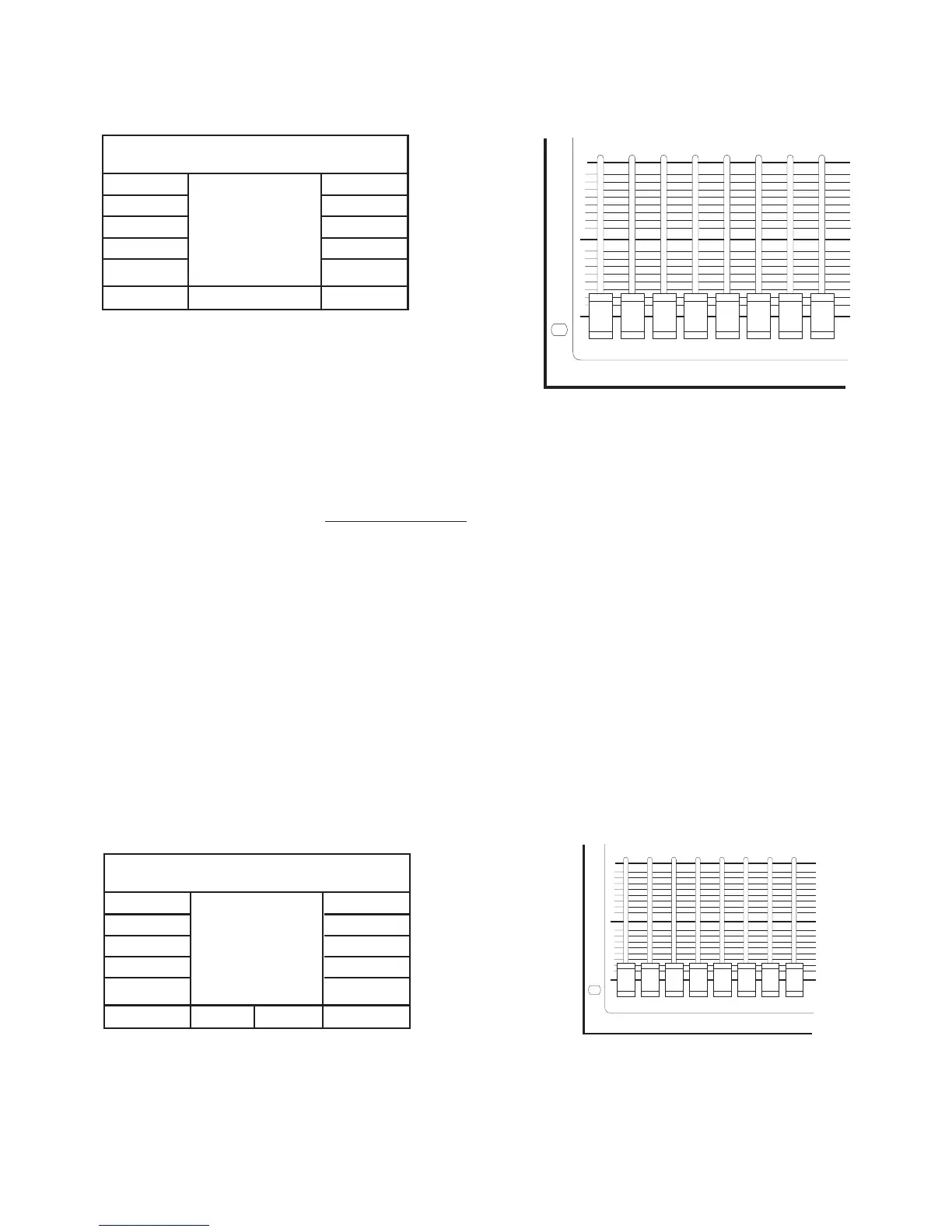
ESC Ch-MS512:Off
SlgOff.:0
Figure 11
87654321
255
0
Figure 12
After pressing the push-button 2 (Fig.8 pag. 6) the display will show as in Fig 11.The basic idea of the Master-Dimmer is to
have a slider exclusively dedicated to: instant opening/closing of the shutters; light adjustment of all projectors simultaneously;
and any other kind of control that should be possible by means of only one slider at any time, regardless of the present function
of the MASTERSHOW 512.
It’s possible to assign this function to one of the 16 sliders
by means of slider 1 (Fig.12) marking the number on the display
in Ch-MS512: Off means that you will not have the Master-Dimmer control.
The mark “Slg Off” will allow you, by means of slider 2, to set the minimum level reachable by the Master-Dimmer control
slider. For example:
Set the Ch-MS512 to value 16 using the slider 1 (Fig. 12); so you have enabled the slider 16 to the Master-Dimmer func-
tion.
Now slide up the slider 2 untill you read the value 100 next to Slg Off. If all your projectors would be enabled to the Master-
Dimmer function ( see step 3) on the channel corresponding to the shutter, you will be able to control in unison all the projec-
tors shutters by means of slider 16, without going below the value of 100 DMX, setted as described before.
Press ESC to return to the previous menu storing the operation.
•
Step 3 - PRJTYPE - Projectors Configuration
Projector:TYPE01Ch:1
ESC
NEXT
PREVIUS
TABSET DEFAULT
CHUP
CHDW
Ch-MS512:Off
Ch-Type.:Dir
Dimmer..:Dis
Shutter.:Dis
VShutOff.:0
Figure 13
87654321
255
0
Figure 14
Pag.9


 To Next Page