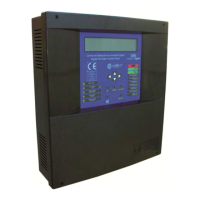
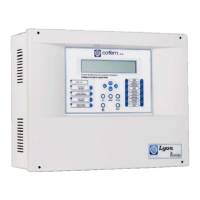
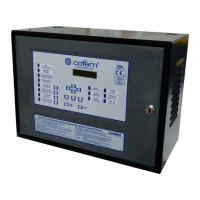
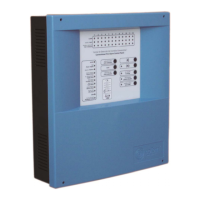
Digital fire detection control panel
COMPACT LYON
40
FIRE PRETECTION MANUFACTURER
Ctra. de Molins de Rei a Rubí, Km. 8,4 - 08191 RUBÍ (Barcelona) ESPAÑA.
Tlf.: +34 935 862 690 - Fax:+34 936 999 261 - cofem@cofem.com - www.cofem.com
3.2.1.- Level 1 access.
3.2.1.1.- Activation of the control panel.
If the control panel is starting up correctly we see:
C
DID Compact Lyon Vx
(C) Cofem, S.A.
Loadi ng.................................
V.x corresponds the version number of the control panel’s software.
The control panel is looking at the previous configuration data:
R
ecover i ng prev ious conf igurat ion
Zones : [ ]
Re l ays : [ ]
Updat ing Sys tem [ ]
The control panel is performing an automatic element search:
aiting Automatic Search ......
----------------------------------------
MODE 1 2 ⁄ 08 ⁄ 06
SE
RCH I NG 10 : 29
When the control panel reaches at this screen and it remains, this confirms to us that the control panel
has been initialized correctly and that no alarms or faults of any type exist in the system. Only the
green LED is illuminated (Power). It is also possible that other screens appear indicating anomalies of
some type that are described in the following cases.
C
DIC Compact Lyon Cofem s.a.
----------------------------------------
MODE MODE 1 2 ⁄ 08 ⁄ 06
NIGHT
UTOM
TIC 10:29
Anomalies during start-up:
1. During the starting the possibility exists that memory I2C, where all the information keeps from
the control panel, fails. In this case, we have two posisibilities. One first that would allow us to
reinitiate the configuration of the control panel being restored the values of factory (except
labels of points and relays). Or one second, with that we could cancel the resumption of the
configuration. If after to have reinitiated the control panel it returns to appear the message of
“Failure I2C” it is that this one does not work correctly.
F
ailure I2C
The conf i gurat i on wi l l res tar t
Press ENTER to cont inue
Press ESC to cancel


 To Next Page
 Loading...