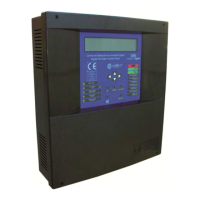
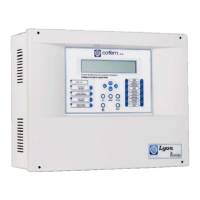
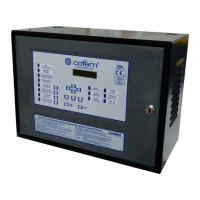
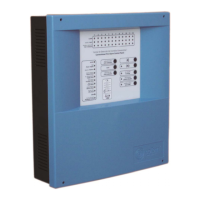
Digital fire detection control panel
COMPACT LYON
50
FIRE PRETECTION MANUFACTURER
Ctra. de Molins de Rei a Rubí, Km. 8,4 - 08191 RUBÍ (Barcelona) ESPAÑA.
Tlf.: +34 935 862 690 - Fax:+34 936 999 261 - cofem@cofem.com - www.cofem.com
VIEW CONFIGURATION: To view the list of points that are included in the alarm zone.
Label N Zone
Z
ONE: B1 DET 1&2 . ZONE: 001
B01:P001-002 B01:P006-006
Zone list
3.2.3.4.4- Configure element sensitivity.
Option 4 of the CONFIGURE menu. From this menu we can vary the sensitivity of the points
individually (indicating the loop and point number). There are three levels of sensitivity: HIGH, MEDIUM
AND LOW (all the sensors come with average sensitivity).
3.2.3.4.5- Additional passwords.
Option 5 of the CONFIGURE menu. From this menu we can introduce an additional password for the
access level 2 and another one for the access level 3, except the numbers 00 and 0000. Whenever we
introduce a new password it deletes the one that had been previously entered. The standard Control Panel
Passwords are: access level 2: 27; and access level 3: 9000
3.2.3.4.6- Configure auto-evacuation.
This is option 6 of the CONFIGURE menu. Within this menu we have four submenus: ENABLE
AUTOEV., DISABLE AUTOEV., CONFIGURE DELAY and AUTO EVACUATION SUMMARY.
Automatic evacuation is a function that activates the relays configured as sounder and/or switches if there is
an alarm in the system and the alarm has not been reset during the configured delay.
ENABLE AUTOEV.: Automatic evacuation is activated by this option.
DISABLE AUTOEV.: Automatic evacuation is deactivated by this option.
CONFIGURE DELAY: The delay period that occurs between the alarm being raised and the siren and/or
switch relays being activated is configured with this option. The maximum delay is 9 minutes and 59
seconds.
AUTO EVACUATION SUMMARY: In this option we will be able to see the status of automatic
evacuation and its delay.
3.2.4.6.7- Send Zones to Repeaters
This is option 7 of the CONFIGURE menu. This option allows sending the configured zones to the
repeaters, of not realising it, the repeaters will only indicate the label of the point.
3.2.3.5- Update date and time.
This is option 4 of the SYSTEM CONFIGURATION menu. Within this menu we have two options,
CHANGE DATE and CHANGE TIME. With the cursors we will be able to update the fields for both
options.


 To Next Page
 Loading...