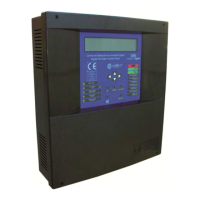
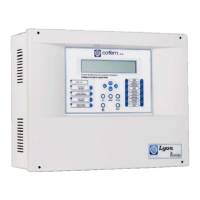
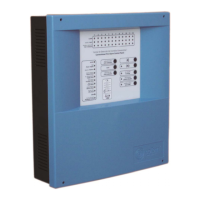
Digital fire detection control panel
COMPACT LYON
52
FIRE PRETECTION MANUFACTURER
Ctra. de Molins de Rei a Rubí, Km. 8,4 - 08191 RUBÍ (Barcelona) ESPAÑA.
Tlf.: +34 935 862 690 - Fax:+34 936 999 261 - cofem@cofem.com - www.cofem.com
INTERNAL NETWORK:
SEE CONTROL PANELS: Visualize the configured control panels.
RESET CONTROL PANEL NETWORK: Reset all the control panels connected to a network.
SPECIAL FUNCTIONS:
NO DELAY: Activate or deactivate all the delays of all the relays associated to all the
control panels of the network.
STOP SIRENS: Activate or deactivate the sirens stop of all the sirens associated to all the
control panels of the network.
EVACUATION: Activate or deactivate all the relays associated to all the control panels of
the network.
MANUAL MODE: Activate or deactivate the manual mode in all the control panels of the
network.
CONFIGURE CONTROL PANEL NUMBER:
SET CONTROL PANEL NUMBER.
CONTROL PANEL NUMBER:
VISUALIZE THE CONTROL PANEL NUMBER.
TYPE OF PC COMMUNICATION:
USB: Activate or deactivate the communication with the PC through a USB port, this connection is
valid to configure the control panel.
RS485: Activate or deactivate the communication with the PC through a 485 port, this connection
is the appropriate for the Online communication.
4- Set-up.
4.1- Prior verifications.
Prior to putting the Compact Lyon digital system installation into operation, we must assure ourselves
that the installation is totally completed and we have all the data for its correct programming. For this it is
necessary to verify that the points shown below have been completed:
To have a 230V power source available dedicated to the fire protection system and that it is live 24 hours
a day, seven days a week. (see chapter 2.1)
To have a set of two 12V batteries with a capacity between 7 and 24Ah depending on the number of loops
and load connected to the control panel. (to see chapter 2.3.1)
To verify that all the elements are connected to the installation.
To verify that there are no installation elements left unconnected or with connection errors that could
cause faults when putting into operation or deterioration of the Compact Lyon digital system elements.
Do not remove the covers until the installation is finished and clean.
To have a list with the total of connected elements of each type in each loop, see example in the following
table.
LOOP: 1
TYPE AMOUNT
A30XHA
15
A30XVA
2
A30XHTCA
5
PUC-AY
10
SIRAY
1
MDAXY
6
MSTAY
1
KMAY
3
MYOA
1
TOTAL
44


 To Next Page
 Loading...