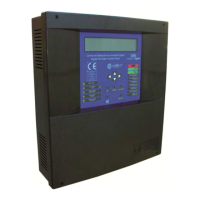
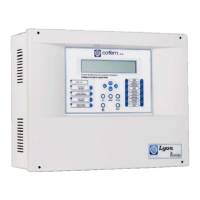
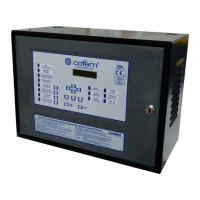
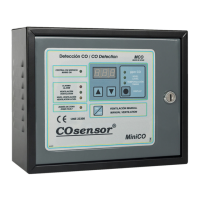
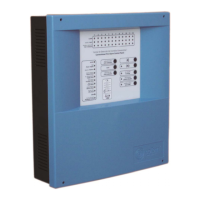
Digital fire detection control panel
COMPACT LYON
FIRE PRETECTION MANUFACTURER 53
Ctra. de Molins de Rei a Rubí, Km. 8,4 - 08191 RUBÍ (Barcelona) ESPAÑA.
Tlf.: +34 935 862 690 - Fax:+34 936 999 261 - cofem@cofem.com - www.cofem.com
Attention: Connect the EARTH cable, ensuring that the positions of the neutral line and phase are correct
To have a list for each loop with the location, type and programming number of each element,
(sensor, button, relay module, technical signals module, analogue sirens, master module). This
programming number goes from 1 to 65533, see example in the following table:
Loop: 01
POINT Prog. No. Label Type Notes
1 12757 ROOM 101 A30XHA
2 12432 ROOM 102 A30XHA
3 4767 BUTTON P1 PUCAY
4 6982 CORRIDOR P1 KMAY
In this way with the lists made on-site, that are completed with the listings of relay activation and with
the relationship of alarm zones, it is possible to undertake the system programming working with an external
keyboard, on the control panel’s own keypad or much more easily using the Easy Conet program on a PC
that will later download to the control panel.
4.2- Supply.
NETWORK: The power to the input terminals will be 230V +/- 10% - 50-60 Hz
BATTERIES: Connect the two elements in series (Watch out for the polarity). In the presence of
network power the battery terminals will have between 24 and 27 V DC.
The 230V power supply will be connected to the Compact Lyon control panel and then the batteries.
The green power supply LED on the front of the control panel must light and the initialisation texts must be
seen as indicated in section 3.2.1.1.
4.3- Loops and relays
The loops will be put into operation one by one. Once the loop cables are connected to the
corresponding driver, proceed with the element search as described in section 3.2.3.4.1. or in the element
Configuration Manual.
When the search is completed check the number of elements found by the control panel against the
data taken previously, see section 4.1.
If the number found is the same, it means that all the elements are correctly connected to the Control
Panel Compact Lyon system loop.
If the number found is higher it means that there must be more elements installed in the loop. You
must update the information about them - programming numbers, labels - to be able to complete the
putting on operation.
If the number found is lower, it means that fewer elements have been installed in the loop; there are
unconnected or not assembled loop elements. Review the whole loop installation reviewing all the
connections and counting the installed elements.
Once any problems in the system have been resolved, the loop element search must be repeated. If a
correct result is obtained, the entire process described above can be repeated for another system loop.
Next, one must proceed with the allocation of previously chosen programming numbers to the loop
elements, see section 4.1. For this they will be entered into the control panel by means of its keys (see
section, 3.2.3.4.1 or elements Configuration Manual), a PC keyboard (see section, 3.2.3.4.1 or Element
Configuration Manual) or by means of a computer, (see Easy Conet Manual).


 To Next Page
 Loading...