16
Performing the Initial Setup of MobileID (for Administrators only) - Cogent Systems, Inc. Proprietary
•
•
•
•
•
•
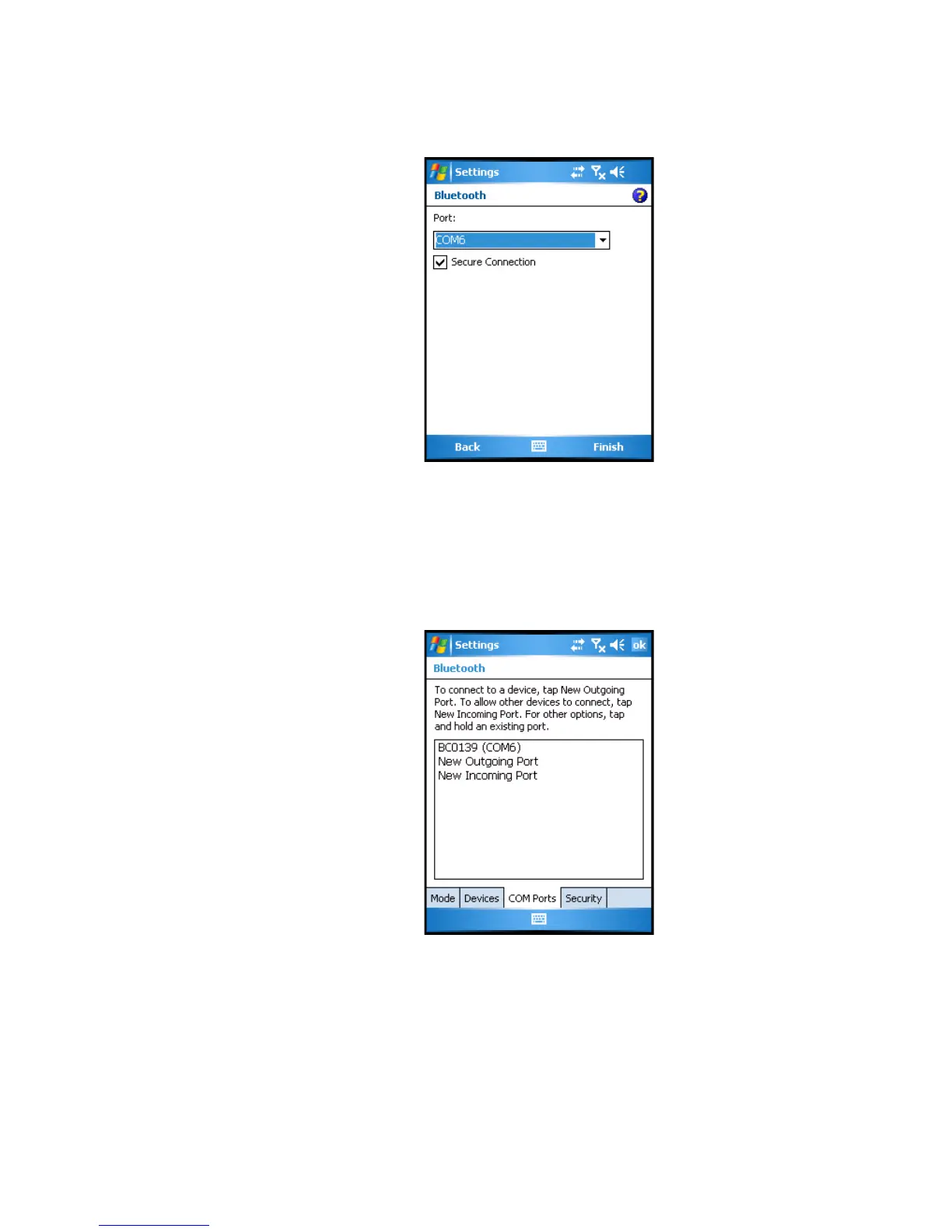
Figure 3-11 (Bluetooth) Port Subwindow
22 Select COM6 from the Port drop-down menu.
23 Tap
Finish. The BlueCheck capture device has now been paired to the
Pocket PC PDA. The (Bluetooth) COM Ports subwindow will be
displayed, an example of which is shown in
Figure 3-12.
Figure 3-12 (Bluetooth) COM Ports Subwindow
24 Tap ok, located in the top-right corner of the window.
25 Tap the
X button, located in the top-right corner of the window.



 To Next Page