•
•
•
•
•
•
Pairing the Bluetooth Enabled Devices
Performing the Initial Setup of MobileID (for Administrators only) - Cogent Systems, Inc. Proprietary Information
15
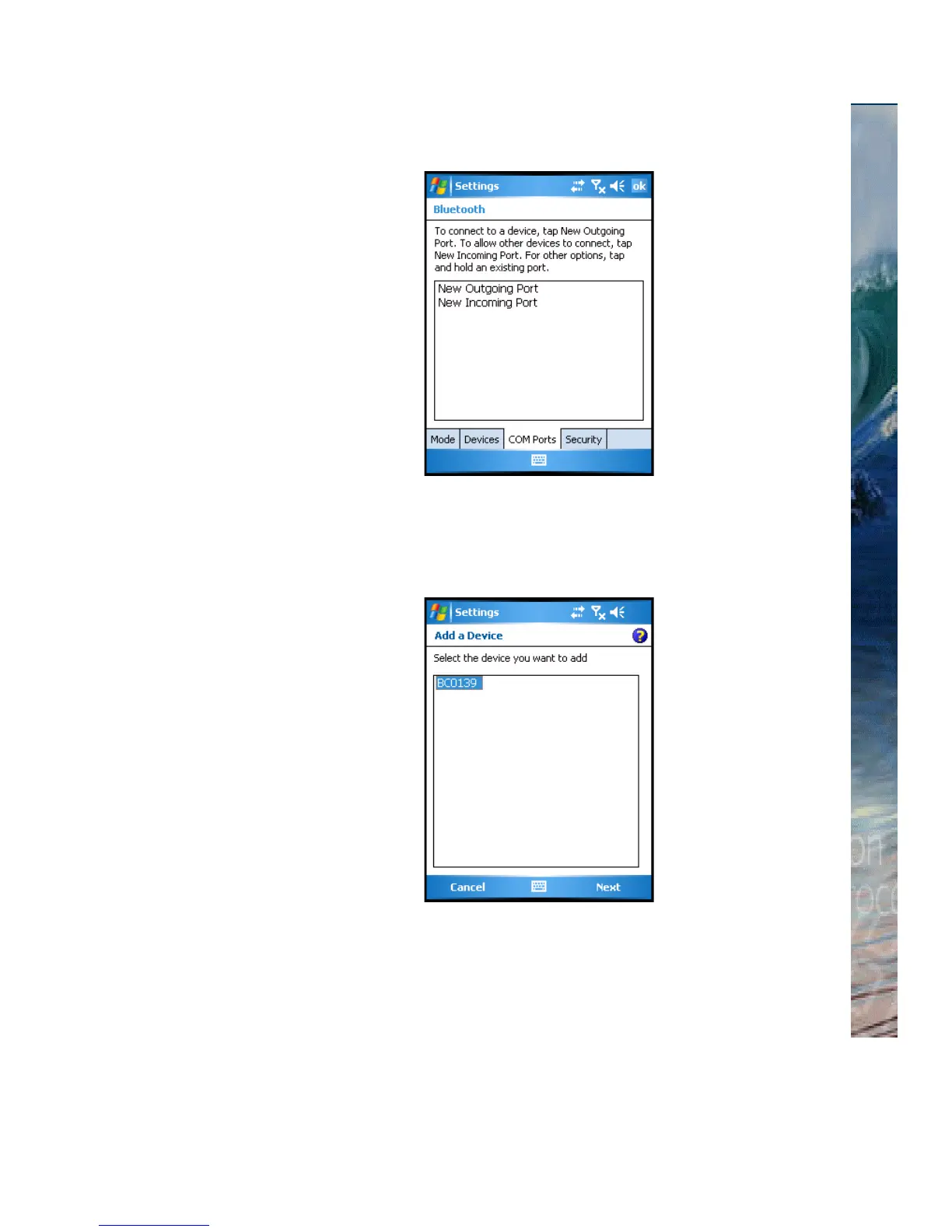
Figure 3-9 (Bluetooth) COM Ports Subwindow
19 Tap New Outgoing Port. The Add a Device subwindow will be
displayed, an example of which is shown in
Figure 3-10.
Figure 3-10 Add a Device Subwindow
20 Ensure that the BlueCheck device is selected.
21 Tap
Next. The (Bluetooth) Port subwindow will be displayed, an
example of which is shown in
Figure 3-11.



 To Next Page