Product Instructions
① LED Display Screen
② EFF Mode Button
③ EFF Rate Option Button
④ Color Temperature Option Button
⑤ Setting Button
⑥ Color Temperature Control Knob
⑦ Brightness Control Knob
⑧ DC 48V Power Port
⑨ Power Button
⑩ Bowens Mount
⑪ COB Lamp Beads
⑫ Lamp Angle Adjustment Locking Grip
⑬ Bracket
⑭ Air Outlet
⑮ NATO Slideway
⑯ Air Inlet
⑰ Lamp Grip
⑱ Soft Light Cover Hole
⑲ Soft Light Cover Hole Screws
⑳ Bracket Screw
Light Installation
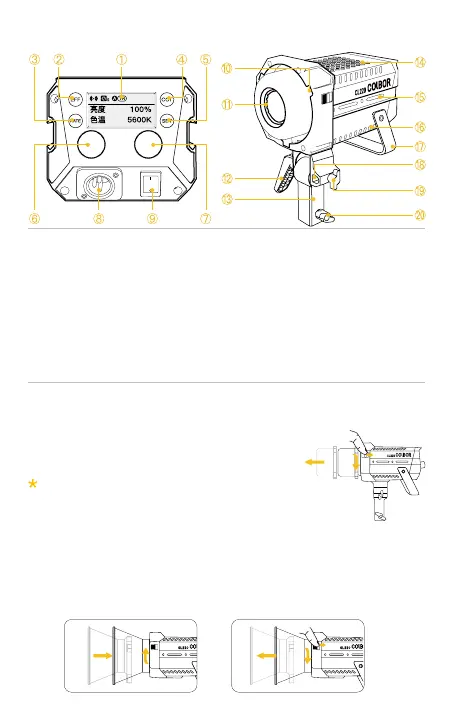
Hold the COB cover with the Bowens Mount
tenon and rotate it as the direction of the arrow.
Note: Be sure to remove COB protective cover
and COB protective lm before use.
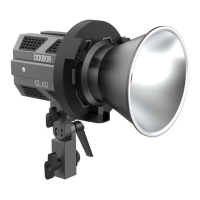
Installation of reector: Align the reector with the groove around the lamp
head and clip it in, turn the reector as the direction of the arrow, and the
reector installation will be completed after the top rod rebounds.
Removal of reector: Under the instructions of “Lamp Cap Protection Cover
Removal".
1. Removal of lamp cap protection cover
2. Installation and removal of reector



 To Next Page