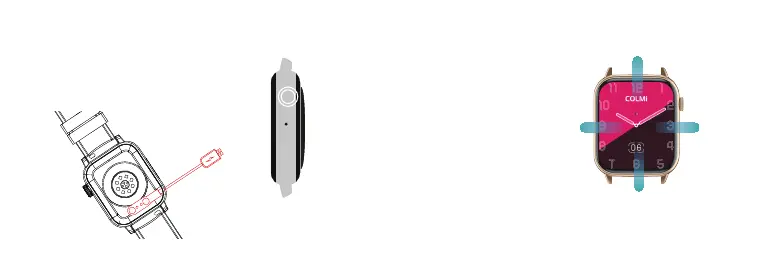
Align the magnetic charger with the magnetic hole
on the back of the watch until it reaches the watch .
When the charging prompt appears, please charge
the watch in time when the power is low. The backup
is an all-in-one machine, and the rear shell and
battery cannot be removed.
CHARGE AND ACTIVATE
1.Long press to turn on the watch when off
state.
Swipe up: messages notification
Swipe left:
Sports data
Swipe rights:
Short cut
keys and
weather
Underscore: Control center
2.In the power-on state, press and hold to
display the shutdown page, and swipe the
right page to shut down.
3.Rotate the switchable dial on the dial page.
4.Press once on the watch dial to enter the
menu, and press the knob key twice in quick
succession to switch the menu styles.
5.On the menu interface, you can rotate the
button to scroll the menu and zoom icons.
6.When on the other interfaces, press the
button to return to the watch dial interface.
BUTTONS AND TOUCH



 To Next Page