Scan the QR code above to download
SMART WATCH APP DOWN - LOAD
AND CONNECTION
INSTRUCTIONS FOR USE
1.Download the "FitCloudPro" APP on your mobile
phone and install it. You can scan the QR code in
this manual, or scan the QR code on your watch, or
directly search for "FitCloudPro" in the APP mall to
download.
2.Connect the smart watch.
1.Alipay interface: Double-click the screen on the dial page
to enter the Alipay interface.
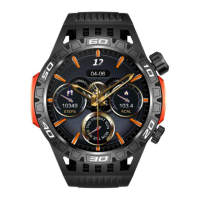
2.Dial interface: Long press the screen to enter the dial
selection interface, swipe left or right to switch the dial,
and click once after confirming the dial.
(Note: The system presets 14 watch dials, the last dial is
"customize", this watch dial will change with the watch dial
market updating of the APP port and the download
settings of the custom watch dial)
3.Menu interface: On the dial interface, press the knob on
the side to enter the menu interface. After entering the
menu interface, press the lower knob twice in quick
succession to enter the menu switching interface, and
press it to return to the main interface.
4.Function interface: Click the application icon on the menu
interface to enter the corresponding function interface, swi
pe right to return, and press the side knob to return to the
main watch dial interface.
1) Scan the QR code to connect: After the mobile phone turns
on the Bluetooth, enter the APP (Note: If the APP cannot be
opened, please turn on the positioning of your phone and then
open the APP) Click on the device -> Click on 'Add Device' ->
Click on 'Scan QR Code Binding' (scan the QR code on the watch).
2) Manual connection: After the mobile phone turns on Bluetooth,
enter the APP (Note: If the APP cannot be opened, please enable
the mobile phone positioning function and then open the APP)
Click 'Device' -> Click 'Add Device' -> Click 'Search Device' (Find the
corresponding item in "Settings" -> "System" -> "System
Information" in the watch sliding control center Bluetooth name
and MAC address of the device) -> Click 'Connect'.
3) Connect to Bluetooth call: In the initial state of the watch, the
Bluetooth call is turned off, and the call and music functions
cannot be used at this time. Slide down to open the 'Control
Center', click the 'Headphone' icon, turn on the audio mode, and
then turn on the Bluetooth call in the mobile phone system (when
the mobile phone's Bluetooth is turned on/down), find the
corresponding Bluetooth name, and click 'Connect'. After the
connection is successful, the call and music functions can be used
normally.


 To Next Page
 Loading...