Before You Begin...
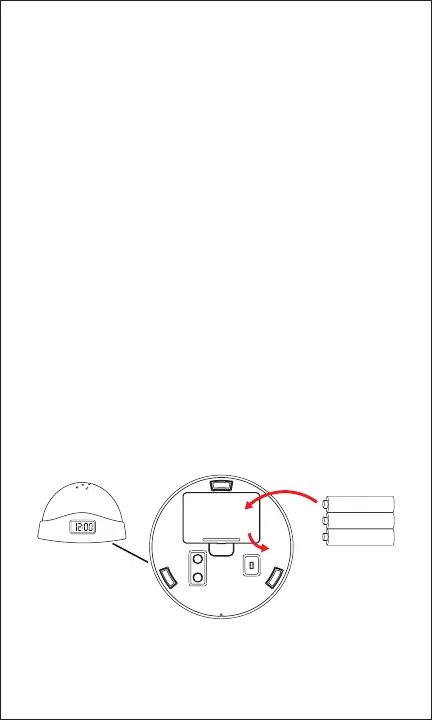
Installing the Batteries
Remove the battery cover from the bottom of the clock. Insert
3 new AAA-sized Alkaline batteries following the polarity (+/–)
diagram in the compartment. Do not mix old and new batteries,
or mix dierent types or brands of battery. Replace the battery
cover.
CAUTION
To ensure safe and proper use, read all safety information before using
the device. Only use with manufacturer-approved batteries, chargers,
accessories, and supplies.
• THIS DEVICE IS NOT A TOY, do NOT allow children or pets
to use or play with this device.
• Do not disassemble, modify, or repair the device.
• Do not expose the unit to extreme temperatures (heat or cold),
open ames, humid, or wet conditions.
• Do not submerge in water.
• Do not mix old and new batteries, or mix dierent types or
brands of battery.
In the Box
• CWLEDCLK - Alarm Clock Projector (x1)
• Instruction Manual (x1)
AAA Battery
AAA Battery
AAA Battery
(Bottom
of Clock)



 To Next Page