10
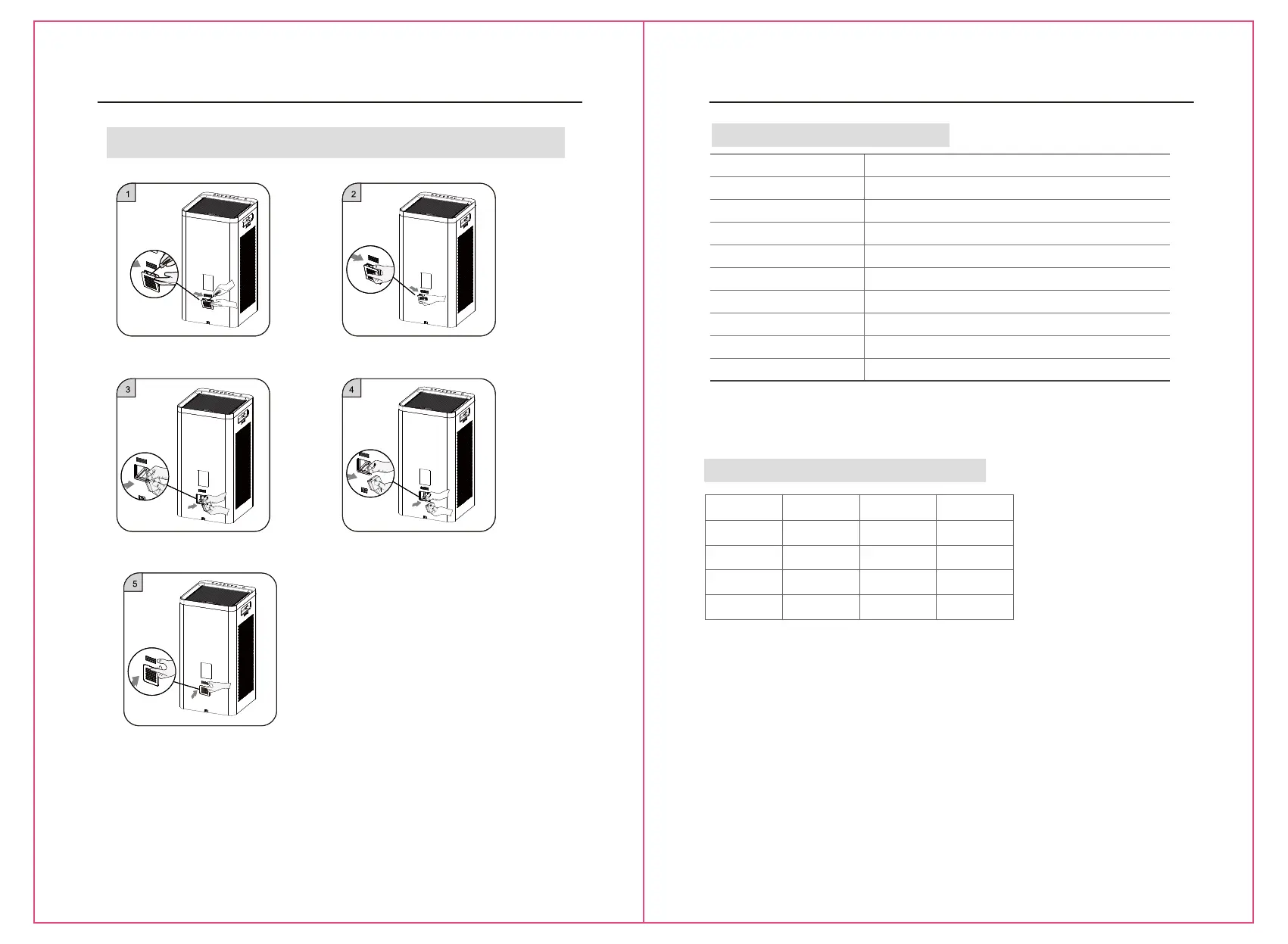
Replacement of Sensor
① Pry up the sensor cover with a straight
screwdriver.
② Take down the sensor cover.
③ Pull the metal handle to pull out the sensor
module.
④ Pull out the connecting terminal from the old
sensor module and replace it with a new sensor
module.
Replacement of Sensor (sensor should be replaced by professionals)
11
⑤ Put back the sensor module into the machine
cavity, and cover it.
Technical Specification
Model
Colzer1556
120V~
45W
280CFM
280CFM
280CFM
N.W. 8.5kg
G.W. 10.2kg
Product Size 290x290x565mm
Product Specification Parameters
PM2.5 value Air Quality
Wind Speed
Gear
Symbol Colour
0-12
13-35
36-55
>55
Excellent
Good
Mild pollution
Heavy pollution
Green
Blue
Yellow
Red
1
2
3
4
Real-time Display of Air Quality Situation
60Hz
Rated Voltage
Rated Frequency
Rated Power
CADR(Smoke)
CADR(Dust)
CADR(Pollen)
Replacement of Sensor
① Pry up the sensor cover with a straight
screwdriver.
② Take down the sensor cover.
③ Pull the metal handle to pull out the sensor
module.
④ Pull out the connecting terminal from the old
sensor module and replace it with a new sensor
module.
Replacement of Sensor (sensor should be replaced by professionals)
⑤ Put back the sensor module into the machine
cavity, and cover it.


 To Next Page