4
Getting to Know The COM-G95
Please check the packaging of your radio for any signs of damage. Carefully open the box, if you
find the radio or the included accessories are damaged or lost, immediately contact your dealer or
us at info@utvcom.com
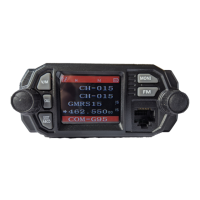
Front of the Radio
1. V/M Mode Switch (Channel/Frequency)
2. Monitor (Moni) function
3. Call key
4. FM radio function key
5. Power, On/Off (Press) & Volume Knob (Rotate)
6. Exit Menu, Toggle A/B/C/D bands
7. Display screen
8. RJ-45 Microphone Connector
9. Channel Selector (rotate) Menu Knob (Press) Confirm Key (Press)


 To Next Page