5 WEB GUI
ComFlex can be monitored and controlled by WEB GUI, follow below contents to achive system
parameter setting and commissioning.
5.1 WEB GUI CONNECTION
Step 1: Connect MU OMT port to PC RJ45 port with the supplied Ethernet cable to set up a physical
connection.
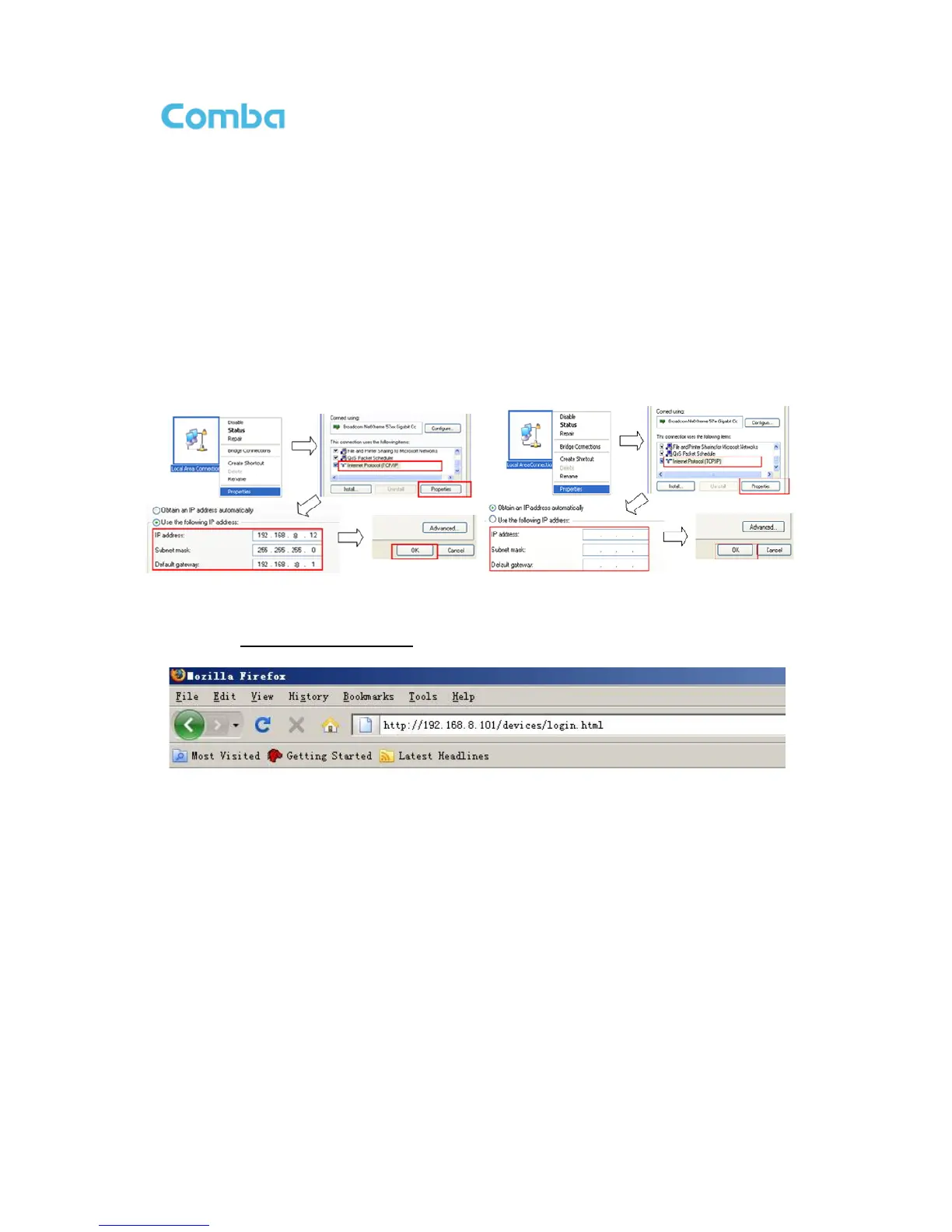
Step 2: Go to laptop Control Panel\Network and Internet\Local Area Connection. Right click it and click
Properties. Then follow the steps shown in figure below.
Figure 37: PC IP Address Setting
Step 3: Open browser (browser IE7.0, IE8.0, Chrome or Firefox, suggest disply resolution is 1024×768),
input Web GUI IP address: 192.168.8.101, click [Enter].
Figure 38: Input IP Address
Step 4: Input User Name: admin; Password (default password: admin). Click [Log in].



 To Next Page