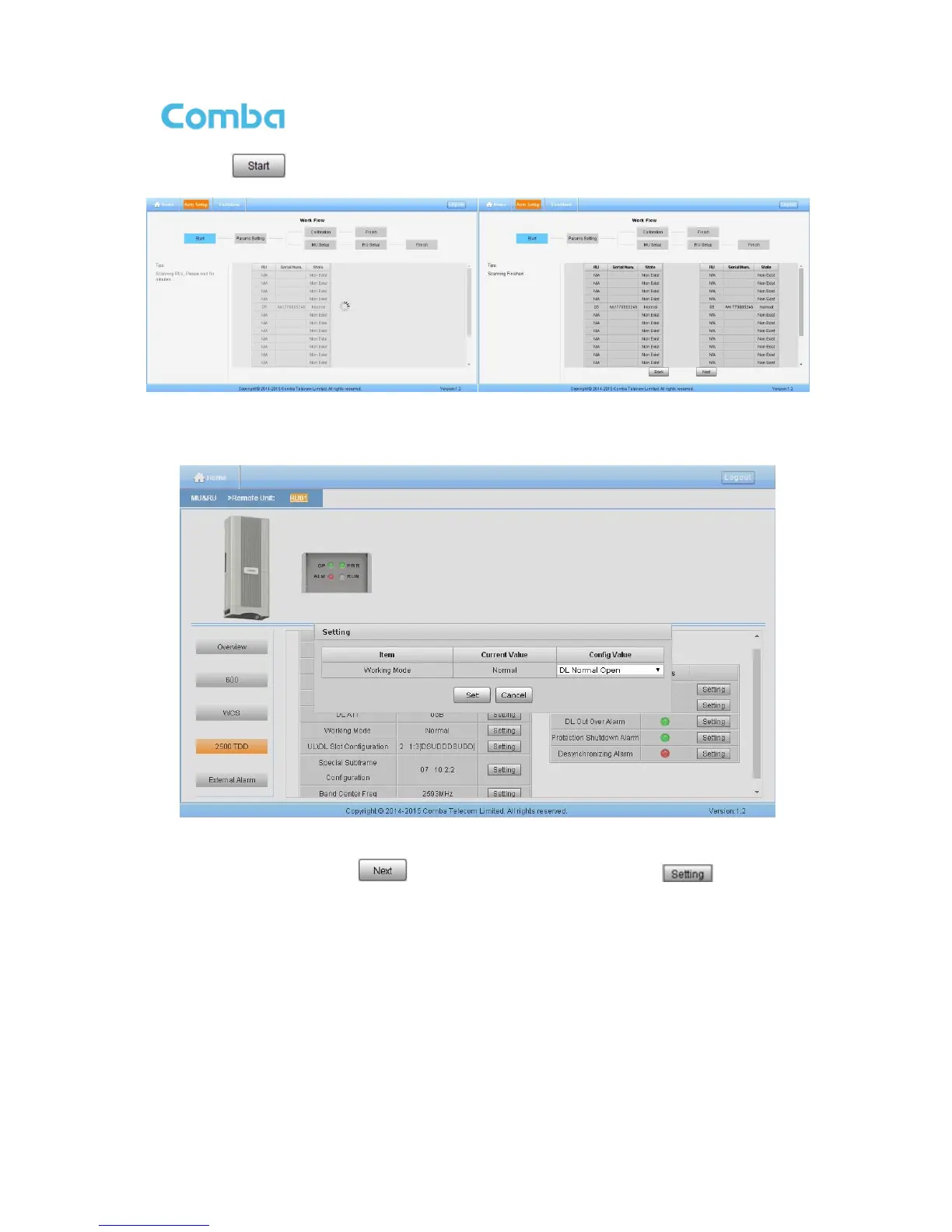
Step 2: Click to start RU device scan, this step will take about 1 minute.
Figure 65: Commissioning Procedure - Device Scan
Step 3 Go to [Home] page, click RU, config the Working Mode of 2500 TDD to DL Normal Open.
Figure 66: Commissioning Procedure – 2500 TDD working mode setting
Step 4 Repeat Step 1 & 2, click to enter to Params Setting page. Click , users can set
the device information and system time.



 To Next Page