Search
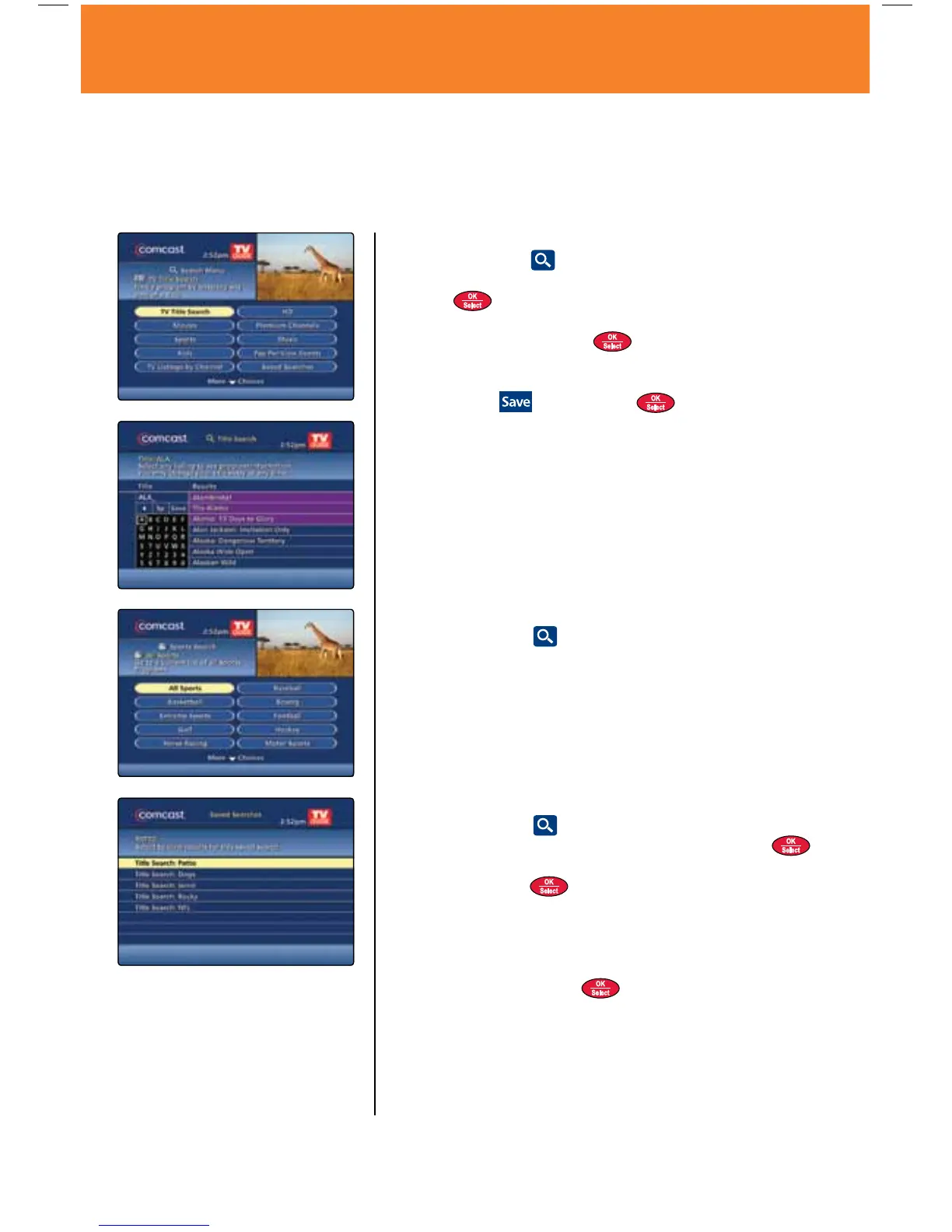
While the on-screen program guide gives you the complete “big picture” of what’s on and when, or if you
have something specific you’re looking for, you might want to utilize the Search feature to perhaps find what
you’re looking for faster. You can search alphabetically by program title, by specific channel or by program
category, plus you can also revisit previous searches that you’ve saved.
Search by Title
1. Select the Search
icon from the Quick Menu.
2. Use the
buttons to highlight TV Title Search and
press
.
3. Use the
buttons on your remote to navigate the
on-screen keyboard. Press
to choose each letter of your
desired search. To delete a character, press the left-facing
arrow on the keyboard.
4. Highlight the
icon and press to save a title search to
a Saved Searches list.
Search by Category
1. Select the Search
icon from the Quick Menu.
2. Select a category to see a list of choices for that particular
category. When you select Movies, Sports or Kids, the search
results show programs that are in progress.
3. Press the
button to view programs in the future.
Saved Searches
1. Select the Search
icon from the Quick Menu, and use
the
buttons to highlight Saved Searches and press .
2. To select a Saved Search, use the
buttons to scroll down
the list and press
to view the selection.
3. The most recently created search appears at the top of the
list. The maximum number of Saved Searches is 15. When the
list is full, the oldest Saved Search is deleted automatically. To
manually delete a Saved Search, navigate to the search you
wish to modify and press
to view your options.
Tip
Listings in the guide are updated day to day. If a search you ran
was not successful because the program did not air this week, you
can save the search and periodically rerun it in the following weeks
without having to spell it out again.
13Using Your On-Screen Program Guide
MO A28 VOD_10.indd 13 10/14/09 4:35 PM



 To Next Page