QUICK START GUIDE
This guide will help you become familiar with the many features Comcast Digital Cable has to offer. We know
you’re excited to begin using your Comcast service, so here are some tips to give you a head start.
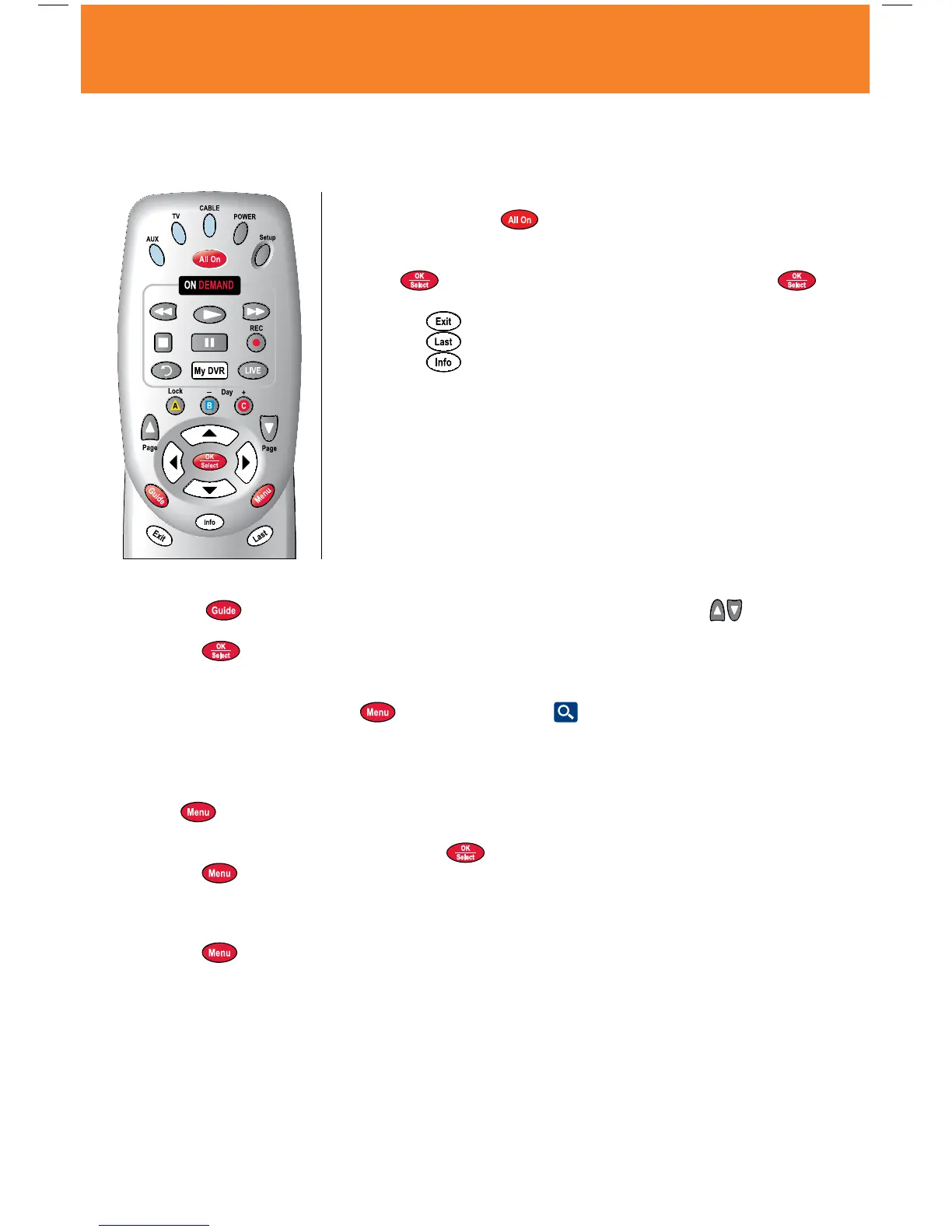
Basic Navigation Tips
• Startbypressingthe
button on your remote to turn on your
television and cable box at the same time.
• Usethe
buttons to navigate within the on-screen program guide.
• Press
to make your selection, or while watching TV, press to
access the Mini-Guide.
• Pressthe
button to return to watching TV.
• Pressthe
button at any time to return to the previous screen.
• Pressthe
button once or twice to display information about the
current program.
What to Watch
• Selectthe
button on your remote to view a complete TV Listing and use the Page buttons to
view the next page.
• Pressthe
button to access the Mini-Guide and browse through other listings while watching a
program. Use the
buttons to navigate by time in half-hour increments, or select the Day +/
-
button to
jump ahead or back 24 hours at a time.
• GototheQuickMenubypressing
, then select the Search icon and select a category like Movies,
Sports, HD or search by a specific title.
• TVListingsarecolor-codedtohelpyouidentifydifferenttypesofprograms.
Main Menu and Quick Menu
• Select
twice to access the Main Menu and once to access the Quick Menu; both provide shortcuts to
all of the key features Comcast Digital Cable has to offer.
• Navigate
through the options and press to make your selection.
• Pressthe
button twice and select Help for more information.
For More Information
Available 24 hours a day, 7 days a week, Comcast is here to help.
• Pressthe
button twice and select Help for more information.
• Contactusbycalling1-800-COMCASTorbyvisitingcomcast.com/welcome.
23Quick Start Guide
MO A28 VOD_10.indd 23 10/14/09 4:35 PM



 To Next Page