9
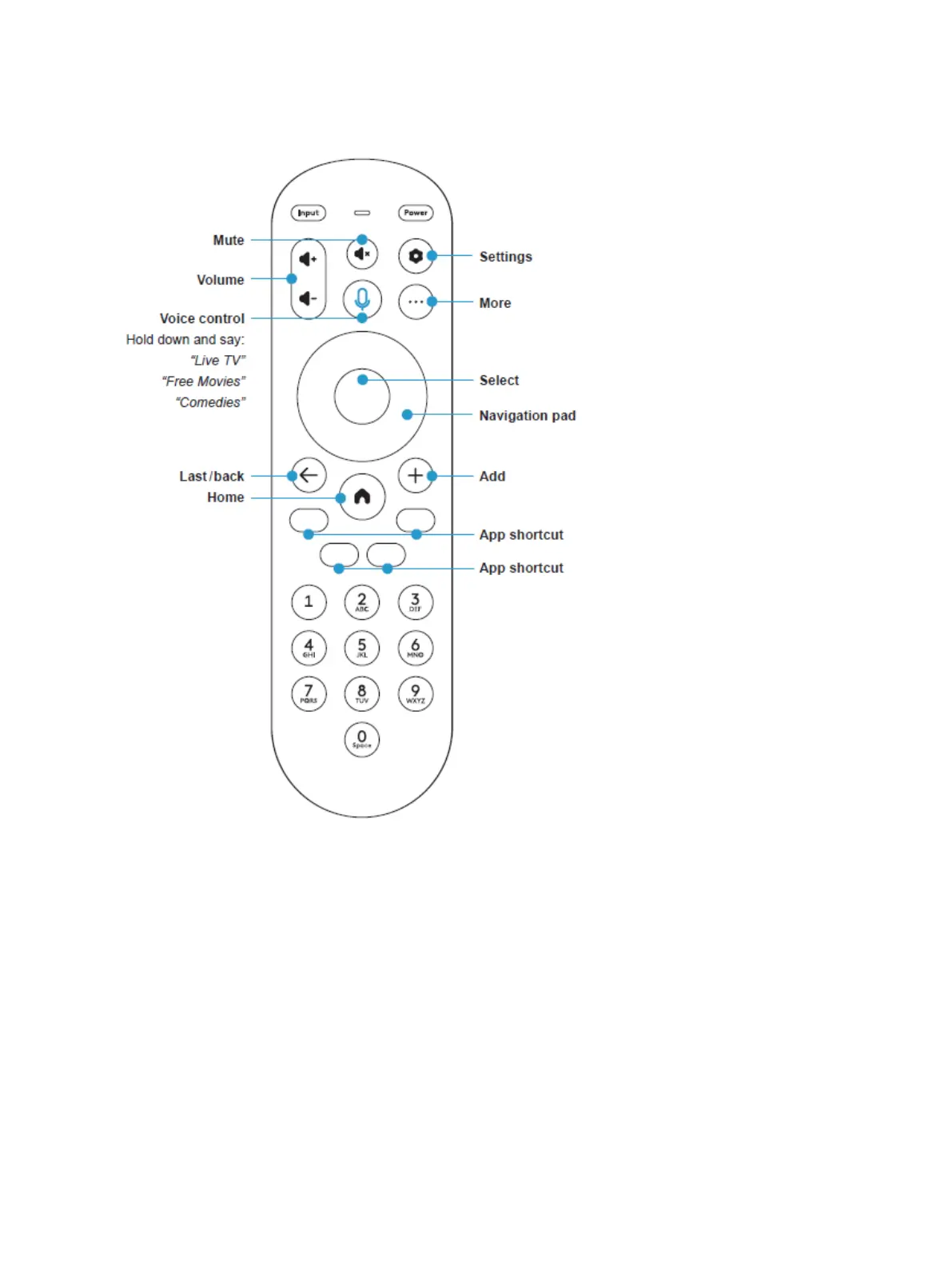
Using your remote
Images throughout this document are for illustrative purposes only and may differ from the actual device.
Your remote’s buttons are outlined above. To learn more about what your remote can do, see the guide
below.
Input: Change your TV’s input so that you can use connected devices like media players, gaming systems, and
sound systems
Power: Turn your TV on and off
Volume: Make your TV louder or softer



 To Next Page