8 Large Screen Display Speakerphone Station User’s Guide
GCA70-349 Getting Started
MESSAGE
* 0 #
WXY
9
TUV
8
PRS
7
GHI
4
JKL
5
MNO
6
DEF
31
ABC
2
TAP
HOLD
TRNS/CONF
SPEAKER
MUTE
SHIFT
R
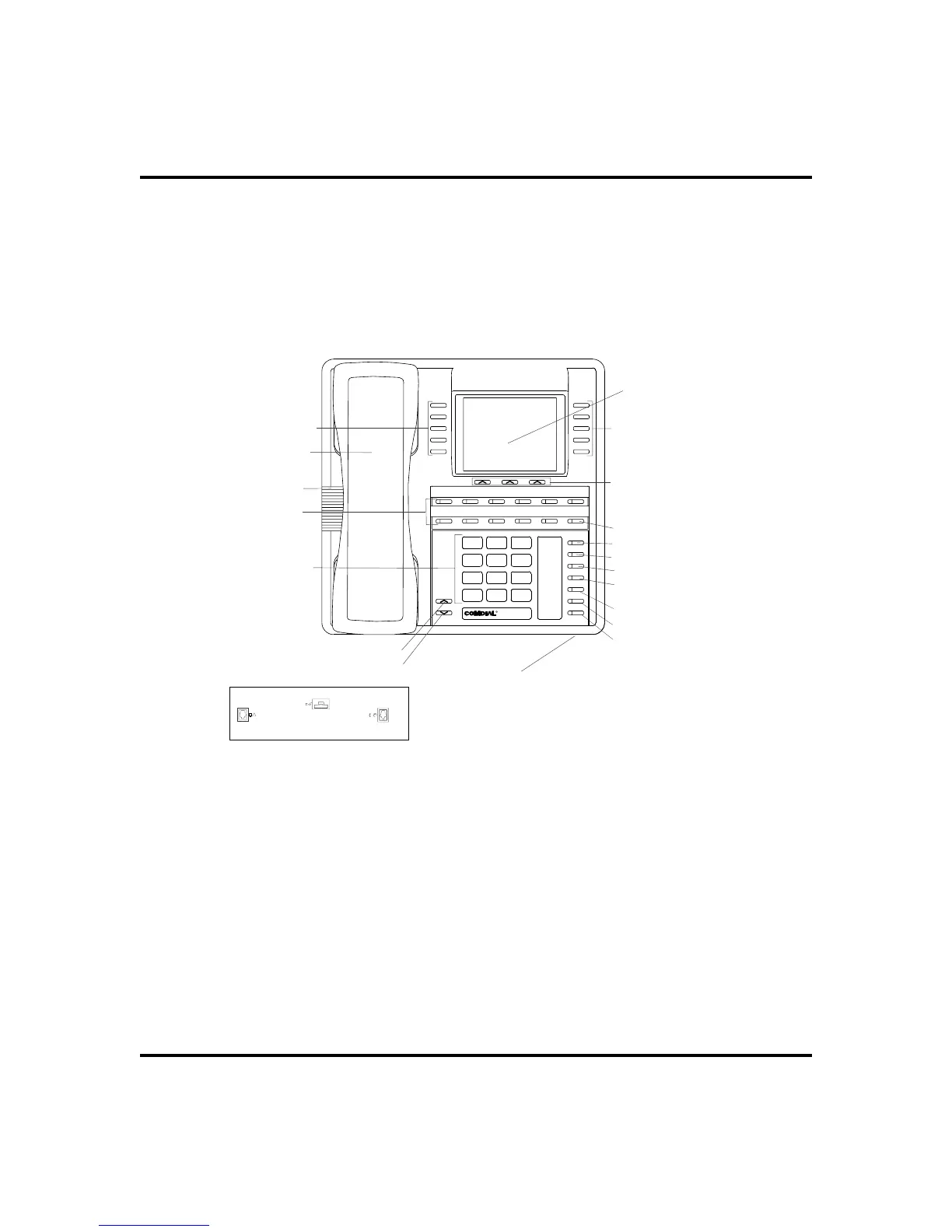
Handset
Telephone Speaker
Dialpad
Volume Up
Volume Down
Microphone Opening
LCD Alphanumeric
Display
Interactive Buttons 11-13
DSS/BLF Buttons
Interactive Buttons 6-10
Interactive Buttons 1-5
Intercom Button*
Message Waiting Light*
Shift Button*
TAP Button*
Transfer/Conference
Button*
Speaker Button*
Mute Button*
Hold Button*
These are default button locations.
Your system installer may have reprogrammed
these buttons to better suit your application.
*NOTE:
Connectors On Bottom Of Telephone
Optional IMIST Module
Handset or
Headset
Line Cord-Bottom
!
Impact
Impact SCS 8412S and 8412F - LCD Speakerphone












 To Next Page