DX-80 INSTALLATION AND MAINTENANCE MANUAL
P7290 IMM 3-78
Related Programming
Extension – Receive Assignment
CO Line – Tenant Group, CO Line Group, Private To
Conditions
Receive Assignment does not inhibit a user from accessing a CO Line for out-calling.
Default Settings
All DX-80 extensions are Receive Assigned – Yes to all CO Lines.
Programming Abstract
Program the required extensions for Receive Assigned – No per CO Line.
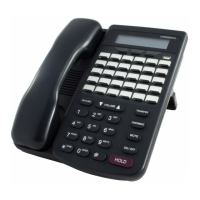
Programming via the DET (Digital Extension Terminal)
Note: [back
backback
back], [next
nextnext
next], [show
showshow
show], [chg
chgchg
chg], [bksp
bkspbksp
bksp], and [save
savesave
save] are LCD interactive button operations. Use the
three buttons below the LCD display to actuate the associated operation.
• Enter Database Administration using the feature code
!+* and then enter the DB Admin password
“
++++++++.” (Note: This eight-character password can be changed.)
• Press [
show
showshow
show]. The DB Item Select screen displays.
Program extensions for the ability to Receive (answer) CO Lines while ringing.
(01-xxx-24-cc):
• Input 01-xxx-24-cc (where “xxx” = extension to be programmed and “cc” = CO Line number {01-16} to be
programmed).
• Press [
save
savesave
save]. This advances to the Receive Assignment for the extension and specific CO Line selected.
• Press [chg
chgchg
chg] until the appropriate value displays. (Y/N)
• Press [back or [next] to go to the previous or advance to the next CO Line to program for this extension.
Or…
• Press
the Volume button (up or down) to return to the DB Item Select screen and input the next
extension/CO Line to program.
• When all changes are complete, press
the Volume button (up or down) to return to the DB Item Select
screen or exit programming.
Programming via PC-DBA
Note: PC-DBA is a DOS-based programming utility.
• Enter PC-DBA by typing “DX-80” at the DOS prompt in the PC-DBA working directory and then pressing
«.
• Press any key at the program title page (as it requests) to enter the Main Menu.
• Select PC-DBA from the main menu.
• Select Programming from the PC-DBA menu. Then press
«.
• Use
¢£¤¥ to highlight “Extension.” Then press «.
• Use ¢£¤¥ to highlight “Receive Assignment.” Then press «.
• Use
¢£¤¥ and ³´ to highlight the extension and CO Line to change.
• Press « until the appropriate data displays. (Y/N)
• Use
¢£¤¥ and ³´ to highlight the next extension/CO Line to change.





 To Next Page