30
OR
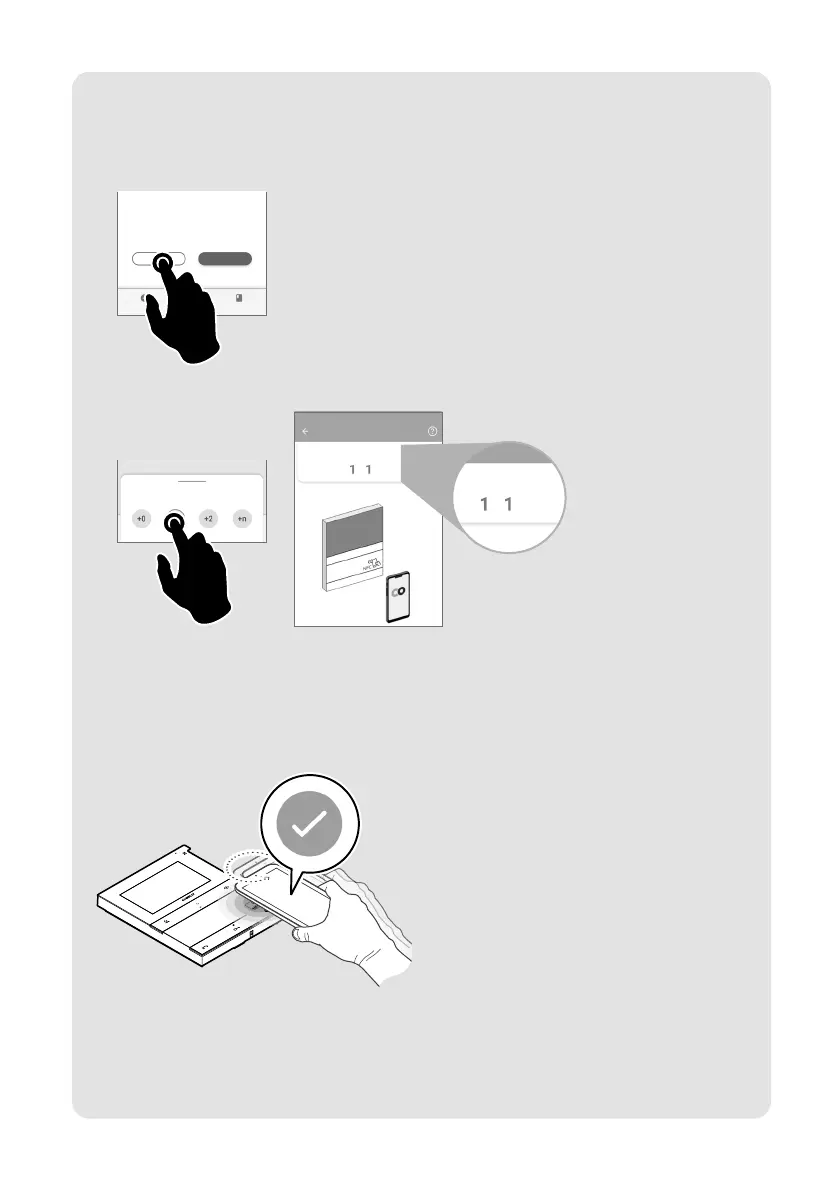
if you want to program the user codes for other door entry monitors in sequence:
5.B Press "CONTINUE".
Configuration complete!
CONTINUACONTINUE END
6.B Select the desired increment interval.
Select an increment*
MyComelit
user code
2
7.B Bring your smartphone close to the NFC detection area of the new door entry monitor (identified by
its label) and make a circular motion until you feel it vibrate.
The vibration indicates that writing is taking place. Hold your smartphone in place until the
procedure is complete.
» A tick indicates that writing was successful.
8.B Repeat step 7.B for each door entry monitor on which you want to program the user code.








 To Next Page