H264 Digital Video Recorder art. 49807
9
PTZ CONTROL
PTZ control is available for only PTZ cameras that allow pan, tilt, zoom, focus or preset etc.
To Enter PTZ Mode
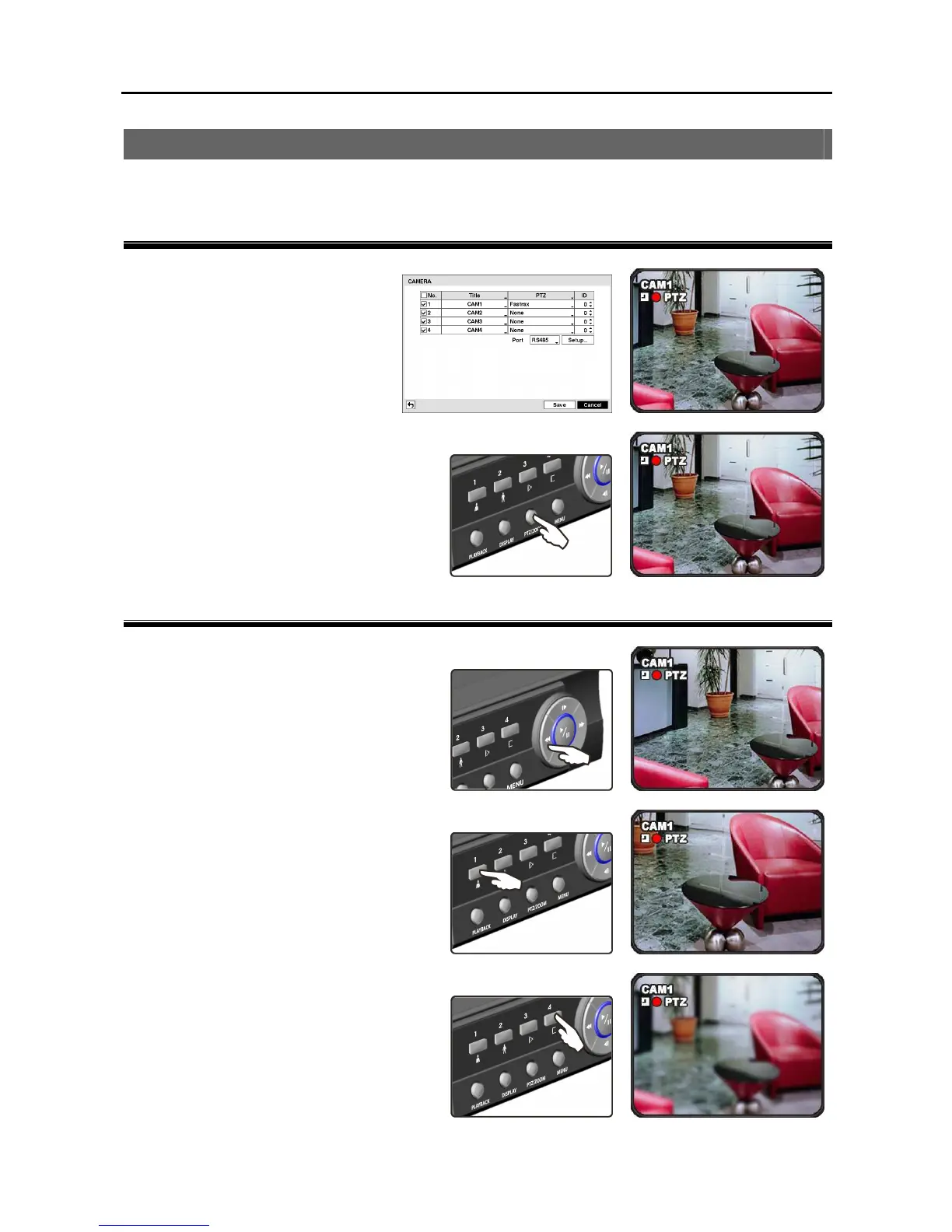
① Connect a PTZ device to the DVR
and set up the PTZ device. Refer
to Chapter 3 – Configuration
Main Menu, Camera for details.
When the PTZ device is set up, the
PTZ icon appears on the screen.
② Pressing the PTZ/ZOOM button in the
live monitoring mode and selecting a
PTZ camera enters PTZ mode. The PTZ
icon flickers in the PTZ mode.
Zoom
Pressing the camera button 1 zooms in and
pressing the camera button 2 zooms out.
Focus
Pressing the camera button 3 focuses near
and pressing the camera button 4 focuses
far.



 To Next Page