22
Split screen: select the corresponding preview mode.
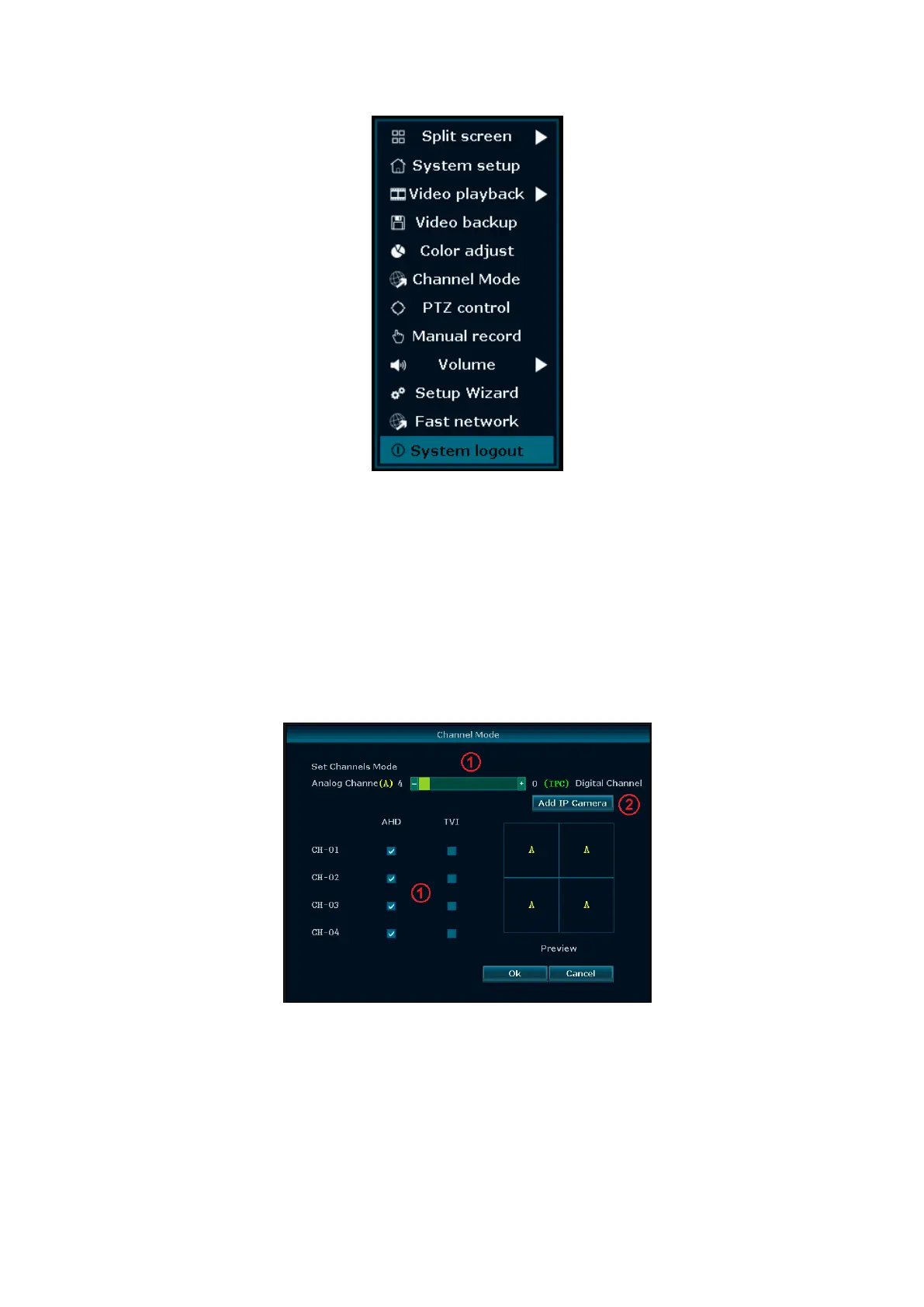
Shortcut menu: System setup, Video playback, Video backup, Color adjust, Channel mode, PTZ control,
Manual record, Volume, Setup wizard and Exit System.
Channel mode
In the shortcut menu, choose "Channel mode". In this menu you can, using the scroll bar and the box [1], select
the mode of the channels that will be connected to the DVR (AHD cameras, 960H analog cameras, TVI
cameras, IP cameras Easy series). To automatically add IP cameras Easy series, then click the button "Add IP
Camera" [2].
System setup
In the shortcut menu, choose “System setup” and turn into it's sub menu. It includes: General setup, Record
setup, Network setup, Channel setup, System admin.



 To Next Page