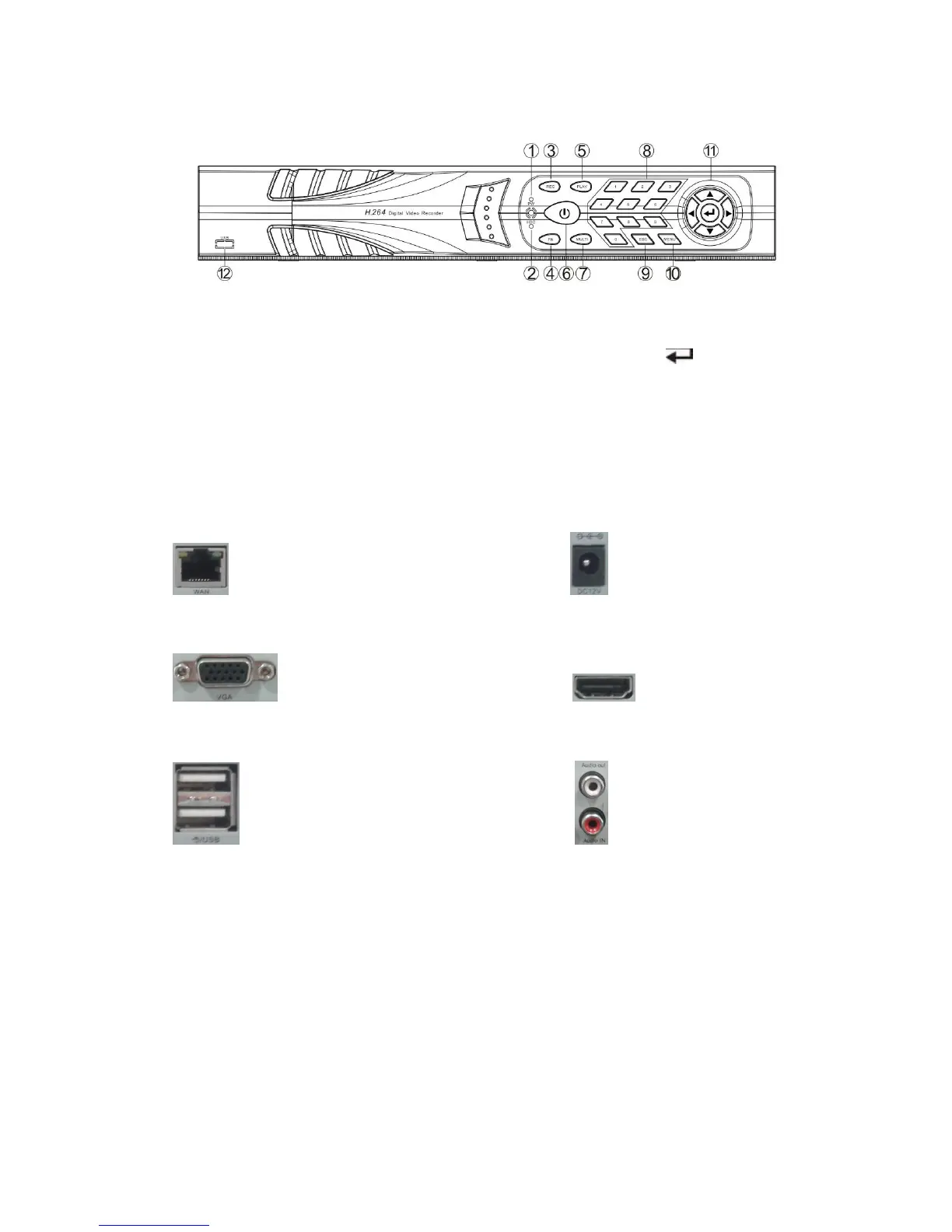
1. POWER led 9. ESC: Exit key
2. HDD led 10. MENU: Menu key
3. REC: Manual recording key 11. ▲▼◄►: Direction key, : Confirm key
4. FN key 12. N.C.
5. PLAY: Playback key
6. ON/OFF key
7. Multi-Screen key
8. Single-Screen keys
Rear Panel Description
NET: 10/100/1000 Mbit/sec. standard Ethernet port DC12V: 12 VDC power supply connector
VGA: VGA video output connector HDMI video output
USB: 2 x USB connectors Audio IN/Audio out: audio input/output connectors
Operating System Description
Turn ON / OFF
Confirm that AC voltage matches with NVR .Ensure that the NVR power outlet connect with a good
middle ground grounding. After switching power, the device started, 【POWER】 light is on. Turn into
system, if the panel status light flashing ,it's normal conditions.
Note: default username is admin, default password is empty.



 To Next Page