15
Format: “☑” stands selected, “□” stands not selected, when click "Format" a confirm interface will
pop up, then click confirm to format, click cancel to return the main interface.
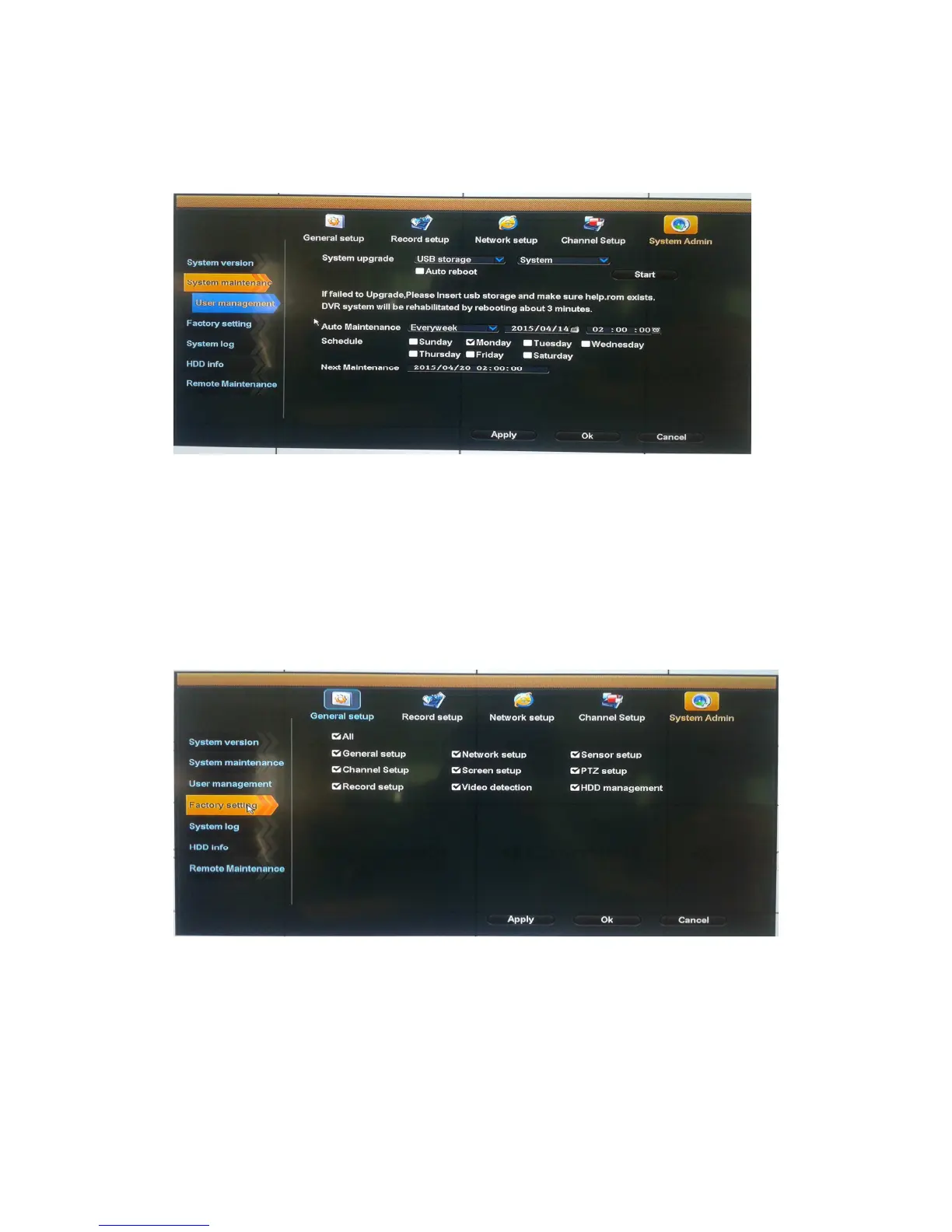
System maintenance
Select "System maintenance".
Auto reboot: setting automatic reboot time, it can set" Saturday to Sunday", "Never" means do not
reboot automatically.
System upgrade: copy firmware to the root directory of USB drive, insert USB, select the USB
storage device, then click "start" to upgrade. When upgrade is completed, click "OK" then system
auto reboot.
Note: during upgrade, do not cut off power to protect from device damage
Factory setting
Select "Factory setting".
Select the items which need factory setting, click "OK" to save and exit or click "cancel" to exit
without saving.
Notes: after factory setting, all the settings will be the initial one, please use carefully.



 To Next Page