29
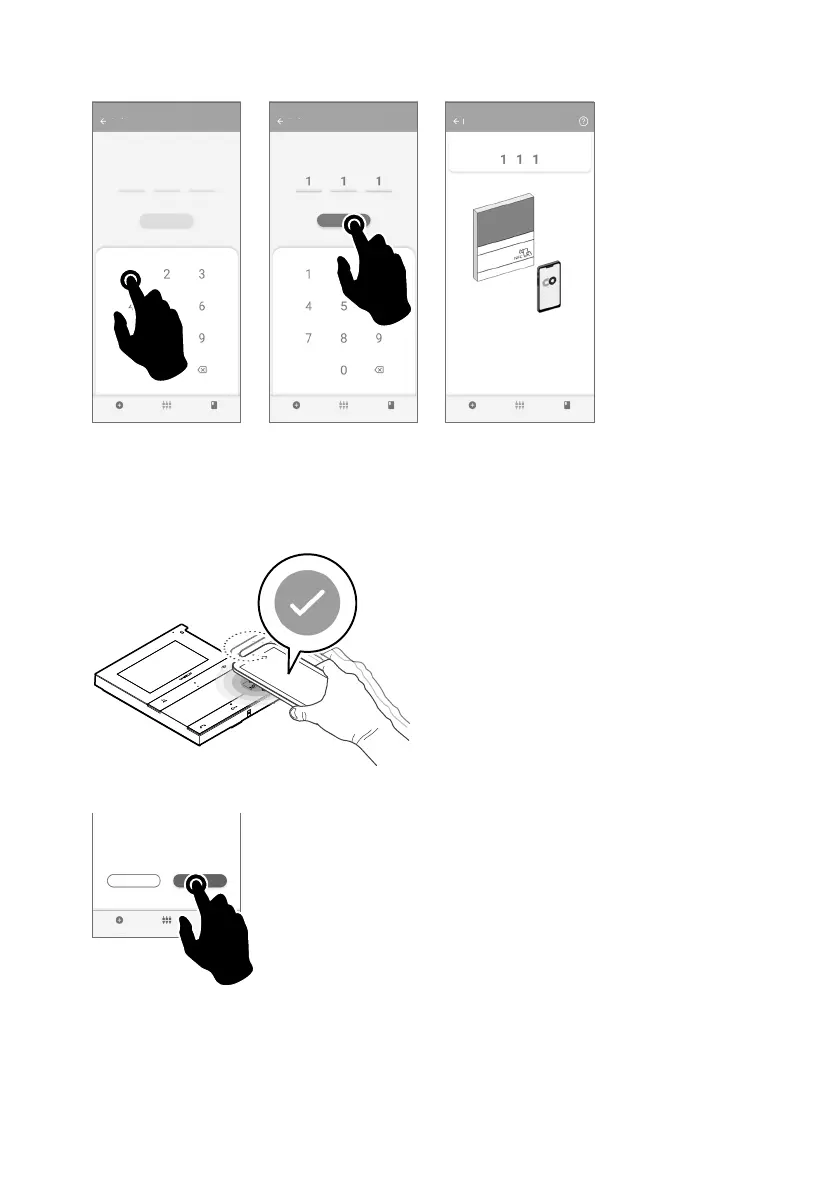
3. Enter the desired user code and press “WRITE”.
User code
user code
WRITE
User code
user code
WREITE
MyComelit
user code
Bring your smartphone close to the door
entry monitor
*
4. Bring your smartphone close to the NFC detection area of the door entry monitor (identified by its label) and
make a circular motion until you feel it vibrate.
The vibration indicates that writing is taking place. Hold your smartphone in place until the procedure
is complete.
» A tick indicates that writing was successful.
5.A Press "END" to end the user code programming procedure on the door entry monitor.
Configuration complete!
CONTINUACONTINUE END











 To Next Page