EN
Alarm input
Alarm output
ITEN
4
General introduction
TheSK9001unitisastand-alonecontrolunitwithanintegralreader
which is used to manage the electronic keys SK9050, SK9051 and
SK9052. It is used to control access to a door fitted with an electronic
lock or an automatic device.
It is supplied ready for use. It is initialised by swiping the first token
programmed with the SIMPLEKEY ADVANCED software over the
unused unit. The other tokensare then savedautomatically in the
memory when they are first swiped.
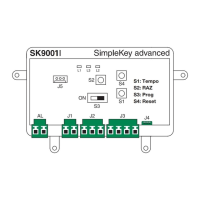
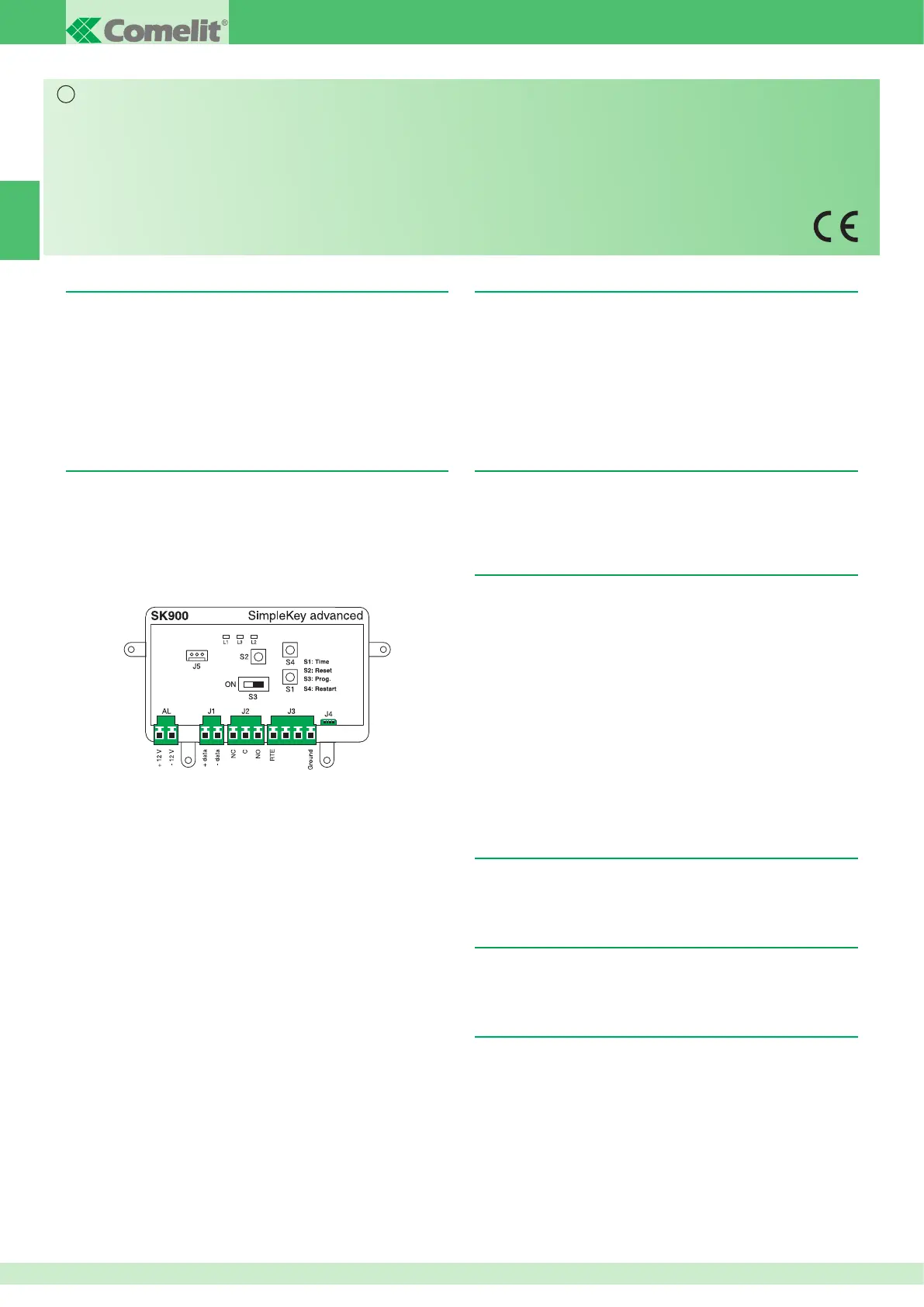
Layout of the unit
Thecardismadeupof:
- a switch used to access the programming
- three push buttons that are used to affect the parameters
- the three LED’s that show the statuses of the switchboard
- connection terminals
- a J5 firmware update connector
Description of terminals
AL: Power supply 12 - 33 V dc or 12 - 24 V ac
J1:RS485network
J2:NO/NCrelayoutput
J3:Exitpushbutton+alarm
J4: Integral reader
PROGRAMMING
TheS3 switch is used to switch between programming modes:
S3 in “0” position ⇒Operatingmode
S3 in “ON” position ⇒ Programming mode
NOTE: In programming mode the L2 LED and the reader LED flash
rapidly.
You must go back to operating mode for the unit to manage access.
Warning
• Installtheequipmentbycarefullyfollowingtheinstructionsgivenbythemanufacturerandincompliancewiththestandardsinforce.
• Alltheequipmentmustonlybeusedforthepurposeitwasdesignedfor.Comelit Group S.p.A. declines any responsibility for improper use of the apparatus, for modifications made
by third parties for any reason or purpose, and for the use of non-original accessories and materials.
• Alltheproductscomplywiththerequirementsofthe2006/95/CEdirectives(whichreplacedirective73/23/CEEandsubsequentamendments),ascertiedbytheCE mark on the
products.
• Donotrouteriserwiresinproximitytopowersupplycables(230/400V).
• Installation,mountingandassistanceproceduresforelectricaldevicesmustonlybeperformedbyspecialisedelectricians.
• Theelectricalsystemofthebuildingmustbettedwithanomnipolarmainsswitchwithacontactopeningofatleast3mm,whichiscapableofisolatingthepowersupplyofthedevice.
• Cutoffthepowersupplybeforecarryingoutanymaintenancework.
• Placetheprotectionbackovertheterminalsandclosetheinspectiondooraftereveryprocedure.
• ThedeviceconformstostandardEN60950-1relatingtothesafetyofinformationtechnologyequipment.
Setting the opening timer
-TurnswitchS3 to “ON” (Programming)
- Press button S1 several times to adjust the time units (one press
persecond).OnceS3hasswitchedbacktooperatingmodeadouble
confirmation beep will validate this for you.
Theminimumtimingsettingis1 second.
Themaximumtimingsettingis99 seconds.
The unit is supplied with a 5 second opening time set by the
factory.
User token management
ThetokensmustbeprogrammedusingtheSIMPLEKEYADVANCED
software contained in the SK9091 kit so that they can work on the
SK9001 unit.
Refertothesoftwareprogramminginstructions.
1. Initialisation
TheSK9001issuppliedblankandmustbeinitialised.Todothis,you
just have to plug it in, turn it on and swipe one of the programmed
tokentothereader.TheunitwillremaininPRGmodeforfewseconds
(GreenandRedLEDsflushingsimultaneously),becausetheunitsis
recodingBuildingCodeandSiteCodeofthetoken.
Oncebacktonormaloperatingmode,alltokensofthesameBuilding
will open the door without any other programming and their parameters
will be stored automatically as they are first swiped.
NOTE: Multi-BuildingProgramming:
TypicallyforsituationwithMainandSecondaryentrances,forMain
entranceReaderitispossibletoprogramandauthorisetokensfrom
severalBuildings(Max30).Todothiswesimplyhavetoswipe,one
aftertheother,tokensfromdifferentBuildings,whiletheunitisinPRG
mode for Initialisation.
InthiswaytheunitwillbeprogrammedwithmoreBuildingCodesand
alltokensofthoseBuildingscanopenthedoor.
2. Adding a token
ToaddatokenlateryoujusthavetoprogrammeitintotheSIMPLEKEY
software and swipe it past the reader. Its parameters will be recorded
automatically.
3. Replacing a token
To delete a token you just have to select its location in the
SIMPLEKEY software and re-programme a new token. Its parameters
will automatically replace the old one when it is first used.
4. Modifying a token’s parameters
Tomodify a token’sparameters you justhaveto select itfromthe
SIMPLEKEY software and re-programme it. Its parameters will be
updated automatically when it is first used.


 To Next Page
 Loading...