NL
27
1210
1210A
1595
1440+1441
Remote NDIS
based Internet
Sharing Device
Micro-
USB
Ethernet card
LAN
Bluetooth Device
(Personal Area
network)
Bluetooth
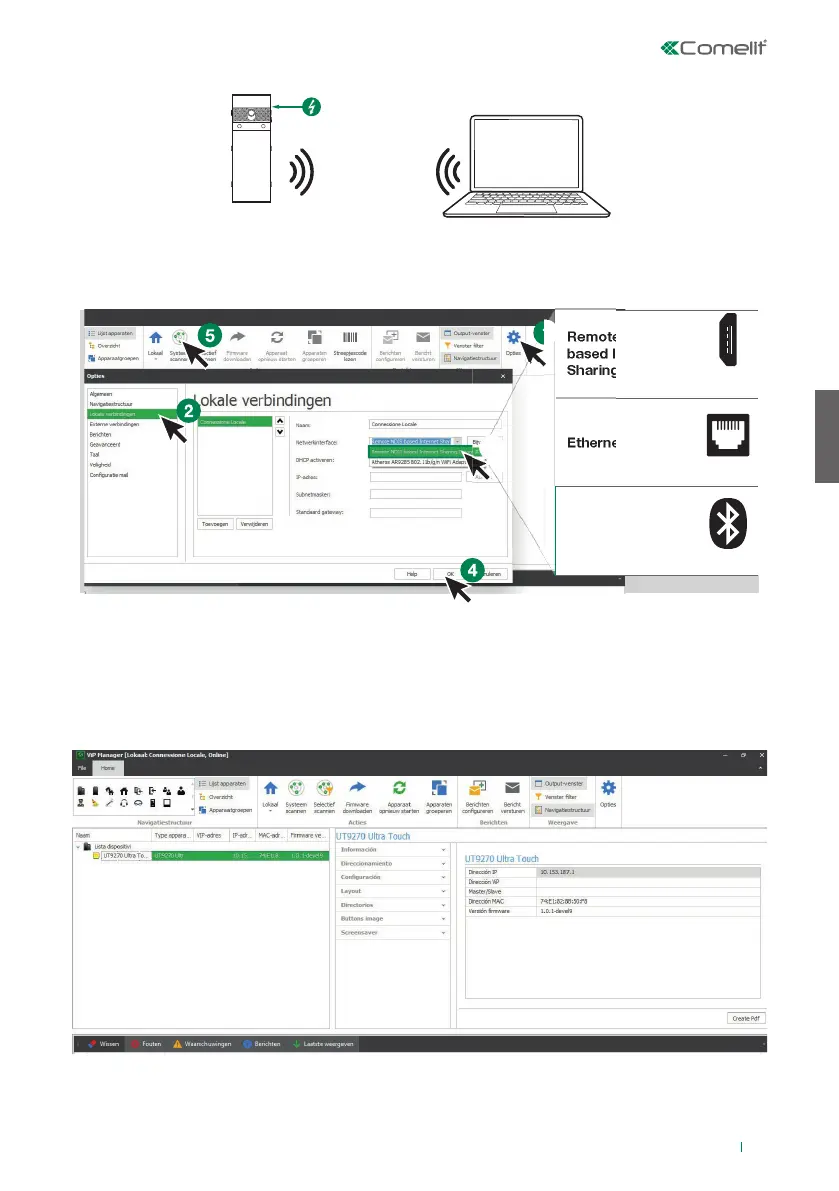
Verbinding via Bluetooth
TE CONFIGUREREN APPARATEN ZOEKEN
√ Verbind de Touch-module met de computer en open ViP Manager
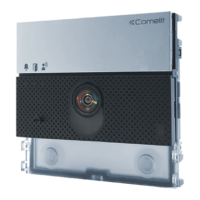
1. Selecteer bij Opties (1), Lokale verbindingen (2) de juiste netwerkinterface (3) afhankelij k van de
verbindingsmethode tussen de computer en Touch-module (Micro-USB, LAN, Bluetooth).
2. Druk op OK (4) om te bevestigen
3. Druk op Systeem scannen (5) om het zoeken naar apparaten te starten
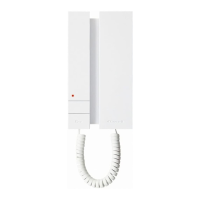
4. Selecteer “UT9270”
Opmerking
Raadpleeg voor de verbinding via Bluetooth de complete handleiding van art. UT9270


 To Next Page