EasyManua.ls Logo

COMFORT-AIRE RADS-151P - User Manual

COMFORT-AIRE RADS-151P
20 pages
Print Icon
To Next Page IconTo Next Page
Loading...
517.787.2100 • www.marsdelivers.com • www.heatcontroller.com
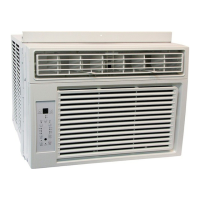
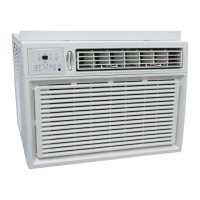
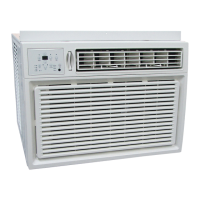
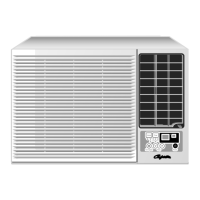
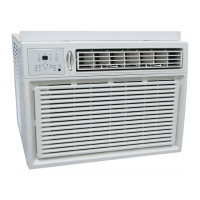
Room Air Conditioner
Owners Manual for:
RADS-151P
RADS-183P
RADS-253P
RAD-283M
Before using your air conditioner, please read
this manual carefully and keep it for future reference.
WINDOW/WALL TYPE
ROOM AIR CONDITIONER
-
MULTI-STEP SPEED ELECTRONIC CONTROL
TA BL E O F C O N T E N T S
Installation Instructions
................................................12
4-11
Normal Sounds
.................................
......................................
Important Safety Instructions ..........................1-3
Troubleshooting Tip 15-16
.....................................
Air Conditioner Features 12-14
.............................
Care and Cleaning 14-15
Table of Contents
Important Safety Instructions ..........................................................................1-3
Installation Instructions .................................................................................4-11
Normal Sounds ................................................................................................12
Air Conditioner Features ............................................................................ 12-14
Care and Cleaning ..................................................................................... 14-15
Troubleshooting Tips ................................................................................. 15-16
Limited Express Warranty ................................................................................ 17
Question and Answer IconNeed help?

Do you have a question about the COMFORT-AIRE RADS-151P and is the answer not in the manual?

Summary

Important Safety Instructions

Electrical Safety Warnings

Critical warnings related to electrical shock, fire hazards, and proper grounding for safe operation.

General Operation Cautions

Cautions for safe handling, cleaning, and operation to prevent injury or damage.

Additional Safety Notes

Notes on power cords, extension cords, grounding, and device operation safety.

Current Detection Device Operation

Instructions for testing the power supply cord's current detection device for safety.

Installation Instructions

Preliminary Installation Steps

Important pre-installation checks including window size, condition, and storm window compatibility.

Window Mounting Procedures

Detailed steps for installing the air conditioner using the window mounting method.

Thru-The-Wall Installation

Guide for installing the unit through an exterior wall, including wall preparation.

Masonry Construction Installation

Instructions for installing the unit into masonry walls, including opening preparation and securing.

Normal Sounds

Air Conditioner Features

Electronic Control Operation

Guide to using the control panel and remote for basic functions like on/off, temperature, and features.

Fan Speed Adjustment

How to select different fan speeds (Auto, Low, Med, High) for optimal airflow.

Sleep Mode Operation

Instructions for activating and using the Sleep mode for gradual temperature adjustments.

Filter Check Reminder

Explains the 'Check Filter' feature and how to reset the indicator light.

Energy Saver Feature

Details on activating the Energy Saver mode for efficient cooling and fan operation.

Follow Me Feature

How to use the remote control as a thermostat for precise temperature control at its location.

Operating Modes Selection

Guide to selecting modes like Auto, Cool, Dry, Fan, and Heat for desired operation.

Timer Functions

How to set Auto Start and Auto Stop timers for automated operation.

Display Information and Error Codes

Explains the unit display, temperature units, and common error code meanings.

Fresh Air Vent Control

How to use the fresh air vent for recirculating, drawing in, or exchanging air.

Air Directional Louvers

How to adjust the 4-way louvers for directing airflow up/down and left/right.

Additional Operation Tips

Covers topics like compressor delay start and temperature unit conversion.

Care and Cleaning

Air Filter Cleaning

Step-by-step instructions for cleaning the air filter to maintain efficiency and prevent frost.

Cabinet Cleaning and Maintenance

Guidelines for cleaning the unit's exterior cabinet safely and effectively.

Winter Storage Procedures

How to properly store the air conditioner during the winter season.

Troubleshooting Tips

Limited Express Warranty

Warranty Coverage Details

Outlines the 1-year parts/labor and 5-year sealed system warranties, including exceptions and conditions.

Warranty Limitations and Remedies

Explains warranty limitations, remedies, liability, and how to obtain service.

Overview

This document is the Owner's Manual for Comfort-Aire Room Air Conditioners, specifically models RADS-151P, RADS-183P, RADS-253P, and RAD-283M. It provides comprehensive instructions for installation, operation, and maintenance of these units.

Function Description:

The Comfort-Aire Room Air Conditioner is designed to provide cooling and, in some models, heating for indoor spaces. It functions by circulating air, removing heat and moisture (cooling mode), or adding heat (heating mode for electric heating models). The unit features electronic controls for various operating modes, fan speeds, and temperature settings, and includes a remote control for convenient operation.

Important Technical Specifications:

The manual specifies operating temperature ranges for optimal performance:

  • Cooling Operation:
    • Outdoor temperature: 64-109°F (18-43°C) (or 64-125°F/18-52°C for special tropical models)
    • Indoor temperature: 62-90°F (17-32°C)
  • Heating Operation (for electric heating models):
    • Outdoor temperature: 23-76°F (-5-24°C)
    • Indoor temperature: 32-80°F (0-27°C) Performance may be reduced outside these specified temperatures. The power supply cord for these units includes a current detection device designed to reduce the risk of fire. The power cord is 48 inches long. Unit dimensions vary by model, with examples provided for "Unit Height" (18 5/8" or 17 5/8") and "Unit Width" (26 1/2" or 23 5/8"). Minimum and maximum window opening widths are also specified for window mounting. The air conditioner is designed for proper grounding with a three-prong grounding plug.

Usage Features:

  • Electronic Control Operating Instructions: The unit can be controlled via the control panel or a remote control.
  • ON/OFF Button: Turns the unit on or off. The unit automatically initiates the Energy Saver function under Cool, Dry, and Auto modes (for Auto-Cooling and Auto-Fan only).
  • Temperature Setting: UP/DOWN buttons adjust the desired temperature between 62°F (17°C) and 86°F (30°C).
  • Operating Modes:
    • Auto Mode: Automatically selects cooling, heating (for applicable models), or fan-only operation based on the selected temperature and room temperature. Fan speed is automatically adjusted.
    • Cool Mode: Provides cooling.
    • Dry Mode: Operates as a dehumidifier, with some degree of cooling. Fan speed is automatically set to Low.
    • Heat Mode: Provides heating (for electric heating models). Fan speed may not be adjustable in this mode.
    • Fan Only Mode: Circulates room air or exhausts stale air. Fan speed can be chosen (Low, Med, High). The display shows actual room temperature.
  • Fan Speeds: Selectable in four steps: Auto, Low, Med, High.
  • Sleep Feature: Initiates a sleep mode where the selected temperature gradually increases (cooling) or decreases (heating) by 2°F/1(or 2)°C over 30 minutes, then again after another 30 minutes. This new temperature is maintained for 6 hours before returning to the original setting.
  • Energy Saver Feature: Available in Cool, Dry, and Auto modes. The fan runs for 3 minutes after the compressor shuts off, then cycles on for 2 minutes at 10-minute intervals until the room temperature rises above the set temperature.
  • Timer: Auto Start/Stop Feature: Allows setting a time for the unit to automatically start or stop. The timer can be adjusted in 0.5-hour increments up to 10 hours, then 1-hour increments up to 24 hours.
  • Clean Air Feature (on some models): Activates an ion generator to remove pollen and impurities from the air, trapping them in the filter.
  • Follow Me Feature (on some models): Activated via the remote control, which acts as a remote thermostat, allowing precise temperature control at its location. The remote sends a signal every 3 minutes.
  • Displays: Shows set temperature (°C or °F) and Auto-timer settings. In Fan only mode, it shows room temperature. Error codes (AS for room temperature sensor, "•" for evaporator temperature sensor, HS for electric heating sensor) are displayed for diagnostic purposes.
  • Fresh Air Vent Control: Allows selection between recirculating inside air (Vent Closed), drawing fresh air into the room (Vent Open), or exchanging air from the room and drawing fresh air in (Vent and Exhaust Open).
  • Air Directional Louvers: 4-way louvers allow directing airflow Up/Down and Left/Right.
  • Automatic 3-minute Time Delay: The Cool circuit has an automatic 3-minute time delayed start if the unit is turned off and on quickly to prevent compressor overheating and circuit breaker tripping.
  • Temperature Display Conversion: The control can display temperature in Fahrenheit or Celsius. To convert, press and hold the Left and Right Temp/Timer buttons simultaneously for 3 seconds.

Maintenance Features:

  • Air Filter Cleaning: The air filter should be checked at least once a month. It can be washed with liquid dishwashing detergent and warm water, rinsed thoroughly, and dried, or vacuumed. The manual warns against using hot water over 40°C (104°F) or operating the unit without the filter.
  • Check Filter Feature: A reminder feature that illuminates an LED after 250 hours of operation to indicate the need for filter cleaning. Reset by pressing the Check Filter button.
  • Cabinet Cleaning: The cabinet and front can be dusted with an oil-free cloth or washed with a cloth dampened in a solution of warm water and mild liquid dishwashing detergent. Harsh cleaners, wax, or polish should not be used. Excess water should be wrung from the cloth before wiping around controls to prevent damage.
  • Winter Storage: Instructions are provided for carefully removing the unit from the window, covering it with plastic, or returning it to its original carton for storage during winter.
  • Troubleshooting Tips: A comprehensive list of common problems and their solutions is provided to help users diagnose and resolve issues before calling for service. This includes issues like the unit not starting, air not feeling cold enough, ice forming on the cooling coil, rapid on/off cycling, noise, water dripping, and remote sensing deactivation.

Installation Instructions:

The manual provides detailed instructions for both Window Mounting and Thru-The-Wall Installation.

  • Window Mounting: Involves removing the chassis from the cabinet, installing top angle and side brackets, assembling window filler panels, placing the cabinet in the window, installing support brackets, extending window filler panels, attaching window filler panels to the window frame, installing window sash seal and safety lock, and finally, installing the chassis back into the cabinet and attaching the front panel. Specific hardware is listed and illustrated. For Energy Star models, additional R1 hardware and weather stripping installation steps are included to minimize air leaks.
  • Thru-The-Wall Installation: Requires consulting local building codes and a qualified carpenter. Steps include selecting a suitable wall location, preparing the wall by building a wooden frame with specific dimensions, and then installing the cabinet. It emphasizes ensuring proper slope for water drainage and securing the cabinet to the wooden frame or masonry wall. Caulking and trim installation are optional.

Safety Information:

The manual includes important safety instructions, categorized as WARNING (possibility of death or serious injury) and CAUTION (possibility of injury or damage to property). Key safety points include:

  • Properly plugging in the power plug and avoiding damage to the power cord.
  • Installing a circuit breaker and dedicated power circuit.
  • Ensuring effective grounding.
  • Unplugging the unit if strange sounds, smell, or smoke occur.
  • Keeping firearms away.
  • Not operating with wet hands or in damp environments.
  • Not allowing water to run into electric parts.
  • Not using loose or damaged sockets.
  • Not using the power cord near heating appliances or flammable materials.
  • Ventilating the room if gas leakage occurs from another appliance.
  • Not directing airflow at room occupants.
  • Not modifying the power cord or sharing outlets with other appliances.
  • Not opening or disassembling the unit during operation.
  • Avoiding contact with metal parts when removing the air filter.
  • Using a soft cloth for cleaning and avoiding strong detergents.
  • Stopping operation and closing the window during storms.
  • Securely inserting filters and cleaning them regularly.
  • Not placing obstacles around air inlets or outlets.
  • Not exposing pets or plants to direct airflow.
  • Not cleaning the air conditioner with water while power is on.
  • Holding the power plug head when unplugging.
  • Not placing heavy objects on the power cord.
  • Ensuring the outdoor installation bracket is not damaged.
  • Turning off the main power switch when not using the unit for a long time.
  • Not drinking water drained from the air conditioner.
  • Ensuring the appliance is installed according to national wiring regulations.
  • Not operating in wet rooms.
  • Maintaining at least 1 meter space to combustible materials for appliances with electric heaters.
  • Contacting authorized service technicians for repair, maintenance, and installation.

COMFORT-AIRE RADS-151P Specifications

General IconGeneral
BrandCOMFORT-AIRE
ModelRADS-151P
CategoryAir Conditioner
LanguageEnglish

Related product manuals