
 Need help?
Do you have a question about the Comfort Zone CZ161 and is the answer not in the manual?
Use fan in dry environments only. Avoid water sources and damp areas.
Do not touch the motor when in use to avoid burns from hot surfaces.
Avoid using near combustible materials, flammable gases, or heat sources.
Do not use with damaged cord/plug. Ensure adequate electrical system.
Ensure the polarized plug is fully inserted into a grounded outlet.
Do not use with any solid-state speed control device to prevent fire or shock.
Press button down to start oscillation, lift button up to stop oscillation.
Disconnect power. Use a damp cloth for cleaning. Do not immerse fan or wires in water.
Motor bearings are pre-lubricated. Store in original carton, coil cord.
Steps to replace fuse, including warnings about fire risk and correct fuse type.
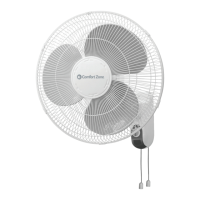
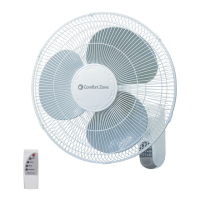
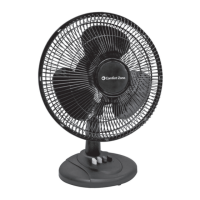
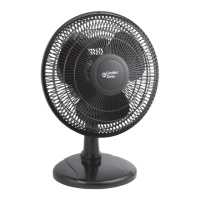
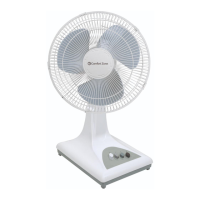
This document describes a 16" table fan, designed for indoor residential and office use. It is not intended for industrial or other commercial applications. The fan operates on 120V A.C. / 60Hz electrical systems.
The primary function of this device is to provide cooling airflow through the rotation of its fan blade. It features wide-area oscillation, allowing it to distribute air across a broader space. The fan's tilt can be adjusted, enabling users to direct the airflow to a desired angle. It is equipped with push-button ON/OFF switches and offers three speed settings to control the intensity of the airflow. The fan utilizes a high-performance fan blade to efficiently move air. Safety grilles are in place to protect users from direct contact with the moving blade.
Before using the fan, it is crucial to read and save all instructions. The fan should only be used in dry environments and is not suitable for bathrooms, laundry areas, or other locations near water sources like sinks, washing machines, or swimming pools. It should never be placed where it might fall into a bathtub or other water receptacle. Using the fan in damp environments, such as flooded basements, is prohibited due to shock hazard.
When operating the fan, it must be placed on a smooth, non-combustible, and level surface to prevent tipping or falling. It should not be placed on small, unlevel, or uneven surfaces. Extreme caution is necessary when the fan is used by or near children, disabled persons, or pets, and it should never be left operating unattended.
The fan is designed with push-button ON/OFF switches and three speed settings, allowing users to easily control its operation and airflow intensity. The oscillation feature is activated by pressing down a control button located on top of the motor housing and stopped by lifting the button up. The adjustable tilt mechanism allows for manual positioning of the fan head to direct air where needed.
It is important to ensure that the fan is operated with its blade guards and all safety devices in place. The fan should never be operated with a broken blade, safety cage, or any visual imperfections. If the fan malfunctions, has been dropped, or damaged in any manner, it should not be operated. Disconnect power before servicing.
The fan is equipped with a polarized two-prong plug, where one blade is wider than the other. This plug must be fully inserted into a matching, properly grounded outlet. If the plug does not fit fully, it should be reversed. If it still does not fit, a qualified electrician should be contacted. This safety feature should not be defeated.
To prevent fire hazards, the fan should not be used near combustible materials, flammable gases, or sources of heat. It should not be used in areas where gasoline, paint, or flammable materials are used or stored. Air intakes or exhausts should not be blocked in any manner, and foreign objects should not be inserted into any ventilation or exhaust opening, as this may cause electric shock, fire, or damage to the fan. The fan motor can become hot during use, so bare skin should not touch hot surfaces to avoid burns.
The use of extension cords should be avoided due to the risk of fire. If an extension cord must be used, it must be a minimum of 14 AWG and rated not less than 1875 watts. The power cord should not be run under carpeting or covered with throw rugs, runners, or similar items. It should be arranged away from traffic areas to prevent tripping. The fan should always be unplugged when not in use, when moving it, when assembling or disassembling parts, and before cleaning.
Cleaning: Before cleaning, the fan's power cord must be disconnected from the plug. The grille surface should be cleaned with a clean, damp cloth. Harsh chemical or abrasive cleaners should not be used. The fan or any wires should NOT be immersed in water. The front grille must be replaced before fan use, and the fan should be allowed to dry completely before use. Periodic grille cleaning with a vacuum cleaner will prevent dust buildup. The motor is sealed and does not require any interior maintenance, cleaning, or lubrication.
Repair: The fan should NOT be operated without the grille in place. If the fan malfunctions or becomes damaged in any way, it should not be used. For repairs covered under warranty, refer to the warranty statement. For other repairs, contact Comfort Zone® Customer Service.
Storage: The fan should be stored in its original carton. The power cord should be coiled and tied to avoid damage during storage.
Fuse Replacement: This product incorporates overload protection through a fuse. If the fuse blows, indicating an overload or short-circuit, the product should be unplugged.
 General
| Type | Table Fan |
|---|---|
| Size | 16 inches |
| Speed Settings | 3 |
| Oscillation | Yes |
| Tilt Adjustment | Yes |
| Height Adjustment | No |
| Voltage | 120V |
| Power Source | Electric |

 To Next Page