9
SHADE REMOVAL
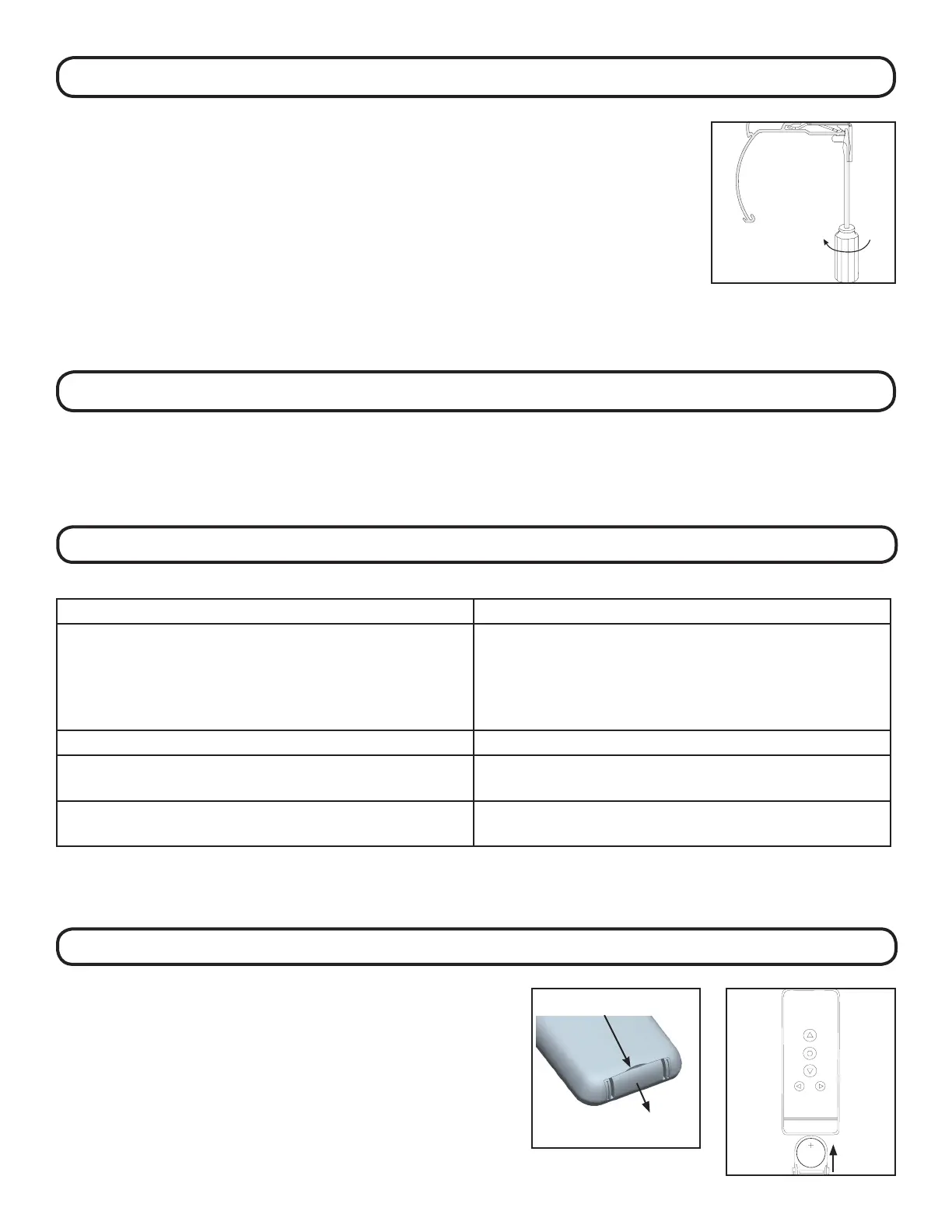
If you need to remove your shade, follow the instructions
below.
Partially lower the shade and insert a at head screwdriver as
shown.
Twist the screwdriver until the head rail disengages from the
bracket.
As you release the brackets, support the head rail to keep it
from falling.
CLEANING AND CARE
e shade fabric is easy to care for. Regular dusting with a feather duster or vacuum cleaner brush is recommended. Most
stains can be blotted with a damp sponge and mild detergent. Before using anything stronger than mild detergent and
lukewarm water, test an unobtrusive corner of the shade. If you have any questions, call your dealer for advice.
TROUBLE SHOOTING
PROBLEM SOLUTION
e motor does not work 1. Check that the power source and motor are connected
properly
2. If using a battery wand - conrm that the batteries are
fresh and are placed in the wand in the correct orientation.
e motor continues to run in one direction e limit setting was unsuccessful and needs to be reset
e indicator light on the remote does not shine or the
remote-controlling range becomes shorter
Replace the battery in the remote (CR2430 lithium)
e motor stops working or works intermittently If using a battery wand, replace the batteries in the wand
with 8 fresh AA alkaline batteries
REPLACING THE BATTERY IN THE REMOTE
Remove the battery tray from the remote by inserting a
ngernail into the indentation on the back of the remote. To
avoid the battery falling out of the remote, remove the tray
while the remote is face up.
Insert the new battery (CR2430 lithium) into the battery tray so
that the writing is facing up when the remote is face up. Slide
the tray back into the remote.
Insert ngernail here
LITHIUMBATTERY
CR2430 3V



 To Previous Page