7
REPLACE ORIGINAL REMOTE OR ADD ADDITIONAL
REMOTE
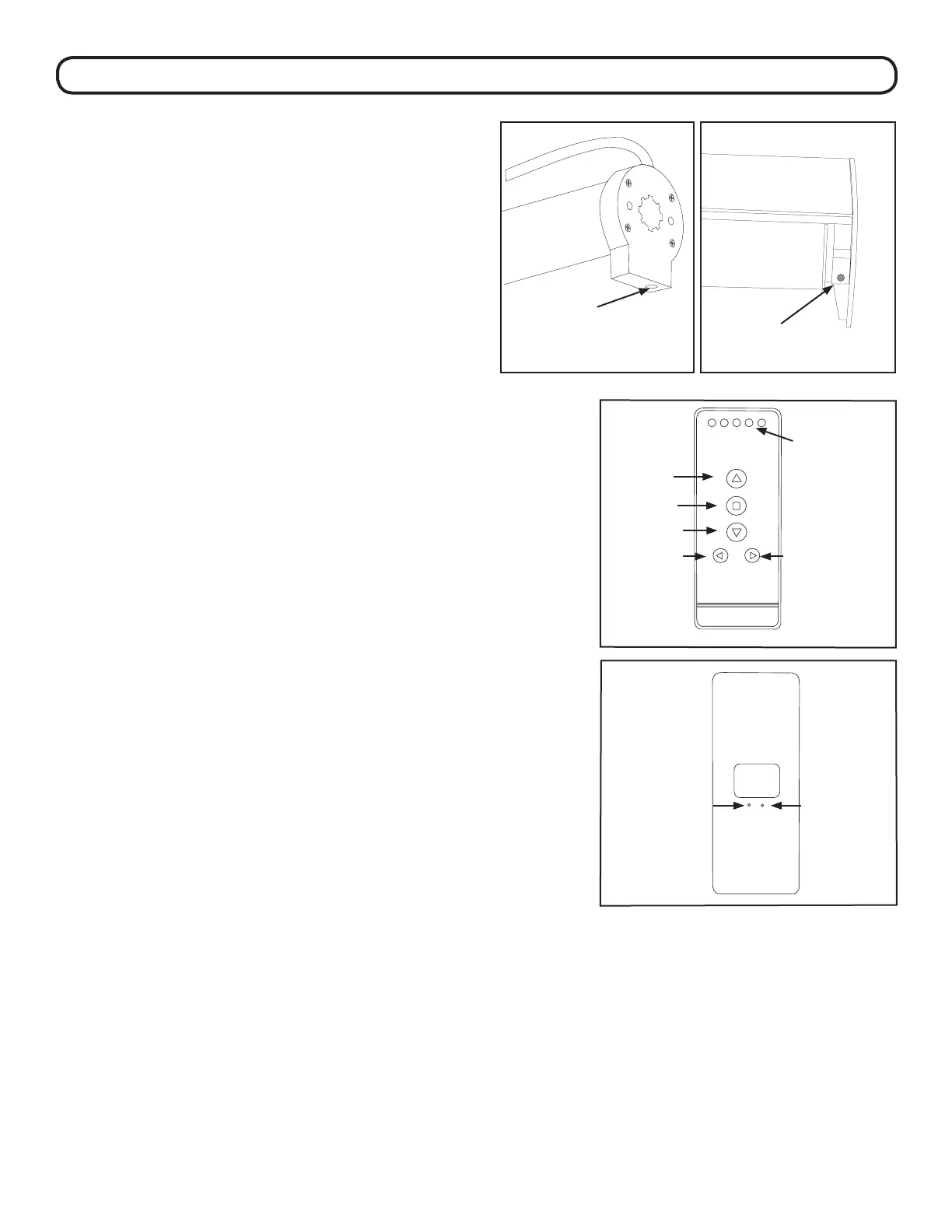
1. Press the SETTING button on the motor until the shade jogs
once. Release the button immediately aer the rst jog - this
should be not more than 3 seconds.
2. Repeat this step for all shades that will be controlled by a
single channel.
3. Select the channel that you want to program using the
CHANNEL selector button.
4. Press and hold the CONFIRM button until the shade(s) jogs
once.
5. Repeat steps 1-4 to program the rest of the channels on a
multi-channel remote.
6. To set the All function on the multi-channel remote, activate
the setting buttons (step 1) on all shades. Press the CHANNEL
button until all 5 indicator lights are lit. en press conrm.
ADVANCED PROGRAMMING
REMOVE A SHADE FROM A REMOTE OR CHANNEL
AND LINK IT TO A DIFFERENT REMOTE OR CHANNEL
Unlink the motor from the remote -
Note: this step also erases the lower and upper limits.
1. Remove the shade from the window. Press and hold the
SETTING until it completes one jog/jog/jog cycle.
2. Release the “Setting” button. e original remote or
channels have been unlinked.
Link the motor to the new remote or channel
1. Follow the steps for replacing the remote above.
2. Set the lower and upper limits by following the instructions
on page 6.
P
Setting
(red button)
Setting
(red button)
Conrm Limit
Up
Stop
Channel +
Channel
Indicator
Lights
Down
Channel -



 To Next Page