5
OPERATION
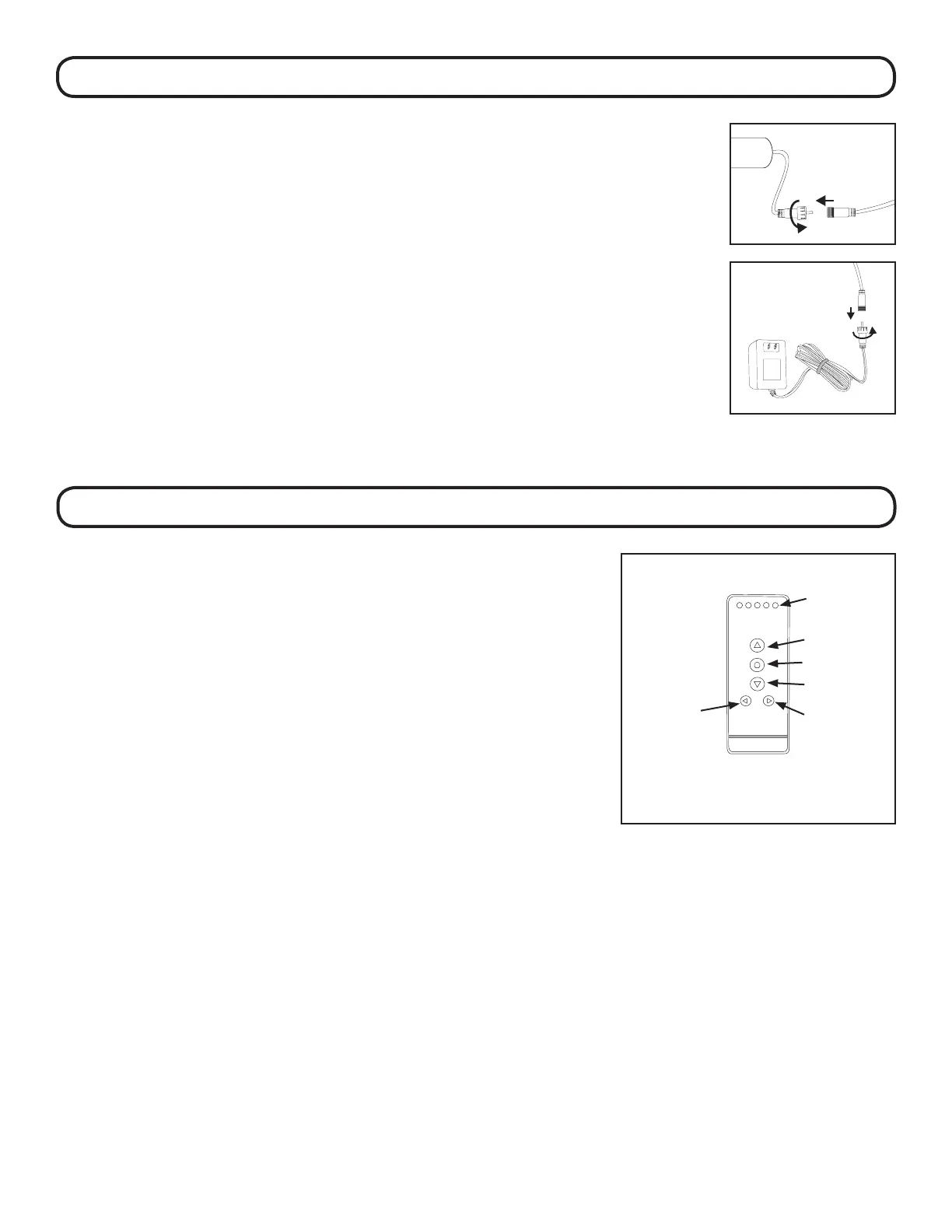
TRANSFORMER
Plug the transformer wire into the motor wire. Secure
the wire behind the shade and along the window casing as
required.
Plug the transformer into an electrical outlet.
If the wire is not long enough to reach, optional 48” extension
wires are available.
BATTERY WAND
Plug the battery wand wire into the motor wire.
STEP 4: CONNECT POWER SOURCE - BATTERY WAND/TRANSFORMER
e factory has set your shade to the channel that was specied
at the time of order. If no channel was specied, the shade was
set to operate on channel 1 and “all”.
Select the desired channel with the CHANNEL buttons. e
channel indicator light will illuminate the channel that is on. If
all 5 lights are lit the remote will control all 5 channels at once.
Tapping the UP or DOWN buttons for less than 2 seconds will
move the shade in short steps. Holding the UP or DOWN
buttons down for more than 2 seconds before releasing, will
operate the shade in the faster standard speed.
Press the UP or DOWN buttons to raise or lower the shade.
Press the STOP button to stop the shade anywhere along the
travel.
1
2
3
4
5
Channel
Display
Up
Stop
Down
Channel +Channel -



 To Next Page