INSTALLATION POWER UP SETUP USAGE GUIDE ADVANCED MENUS
INSTALLATIONPOWER UPSETUPUSAGE GUIDEADVANCED MENUS
22
15
th e r M o s t a t se t -u P
ad v a n c e d In s t a l l e r co n f I g u r a t I o n Me n u
Select continuous backlight. Scrolling
message will show “BACKLIGHT”. When
bL is selected On the backlight will be on
continuously. Selecting bL OFF will allow the
backlight to turn on momentarily when any
key is touched. If thermostat is operating
with battery power only, and bL is On, the
backlight will turn on momentarily.
Select temperature oset. Scrolling
message will show “TEMPERATURE
ADJUSTMENT”. Default is 0 with
current temperature. Adjustment can
be made from 5 Lo to 5 HI to change the
displayed temperature. Your thermostat
was accurately calibrated at the factory,
however this option allows you to change
the display temperature to match your
previous thermostat if you prefer.
Select temperature display as Fahrenheit
or Celsius. Scrolling message will show
“SELECT TEMPERATURE DISPLAY”. This
option selects the temperature display as
°F or °C.
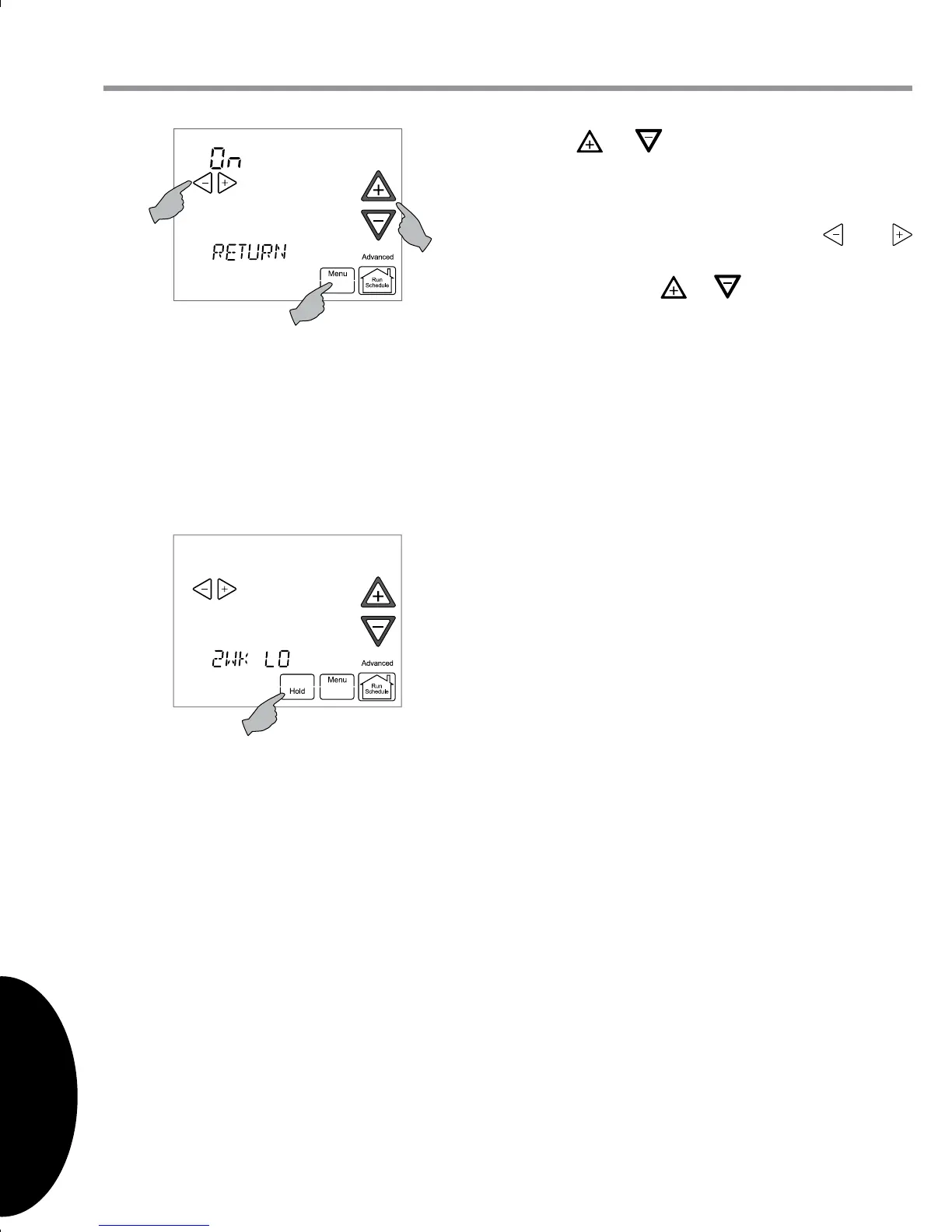
Touch or to step through the items
of the equipment sub-menu and view
settings.
If a setting can be adjusted, the and
keys will appear. Change the setting as
required. Touch or to step to the next
item. “WORKING” will appear and then the
display will show “DONE” to indicate the
change is accepted. If the change does not
get accepted, the display will show “FAIL”
and then change back to the Fault Screen.
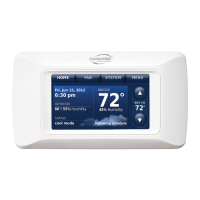
Some of the parameters being displayed on
a sub-menu are long and switch between
the name and the value. Touch the Hold
key to momentarily stop the display from
switching.
Touch Menu to step out of the equipment sub-menu parameters back to the equipment
sub-menu. Each touch of Menu will step up one menu level back to the Thermostat
Options Conguration Menu. Touch the Run Schedule to step out of all menus and back
to the Home Screen Display.


 To Next Page