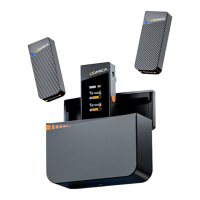
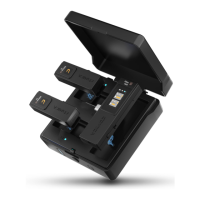
1. 3.5mm TRS External Mic Interface
2. Internal Mic
3. Power/ Mute Button
Long press for On/Off; short press for muting switch
4. Denoise/Volume Up Button
Long press to turn on/off denoise; shot press to increase the volume
5. Pair/Volume Down Button
Long press to enter pairing state; short press to decrease the volume
6. Working Indicator Light
Red light on when muting; green light on when denoising, blue light on
in original sound
7. USB-C Charging Port
To connect a power bank/DC power supply through the 2-in-1
charging/audio output cable for charging
8. Belt Clip
9. Charging Pad
4


 To Next Page