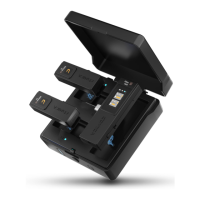
1. 3.5mm TRS Audio Output Interface
In mono mode, output a mixing audio of A/B/C/D four channels;
In stereo mode, output two individual audios. A/C channel is the left
channel, B/D channel is the right channel;
In quad mode, output two individual audios of A/B channels
2. 3.5mm TRS/TRRS Monitoring/Audio Output Interface
In mono/stereo mode, plug in 3.5mm TRS/TRRS headphones to monitor;
In quad mode, output two individual audios of C/D channels
3. Reset Hole
If there are abnormal phenomena such as crashes or failure to turn on,
insert a pin into the reset hole to reset and restart automatically
4. USB-C Charging/Audio Output Interface
To connect the power bank/DC power supply for charging or connect
mobile phone/computer for digital audio output through the 2-in-1
charging/audio output cable
5. Power/Mode Switch Button
Long press for On/Off; short press to switch mono/stereo modes
6. Pair/Screen Flip Button
Long Press to enter pairing state; short press to flip the screen
7. Charging Pad
8. Belt Clip
6


 To Next Page